





VT Markets
A global online broker providing access to Forex, commodities, indices, shares, and other CFD markets through professional trading platforms.
About VT Markets
VT Markets is an international online trading broker providing access to a wide range of global financial markets. Traders can access Forex, commodities, indices, shares, and other CFD products through popular trading platforms. The broker provides multiple account options, trading tools, market resources, and deposit and withdrawal methods designed to support different types of traders. Through The Traders' Cave, traders can also receive guidance on account registration, deposits and withdrawals, and general broker-related support.
Available Services
Key Highlights
How to Register with VT Markets?
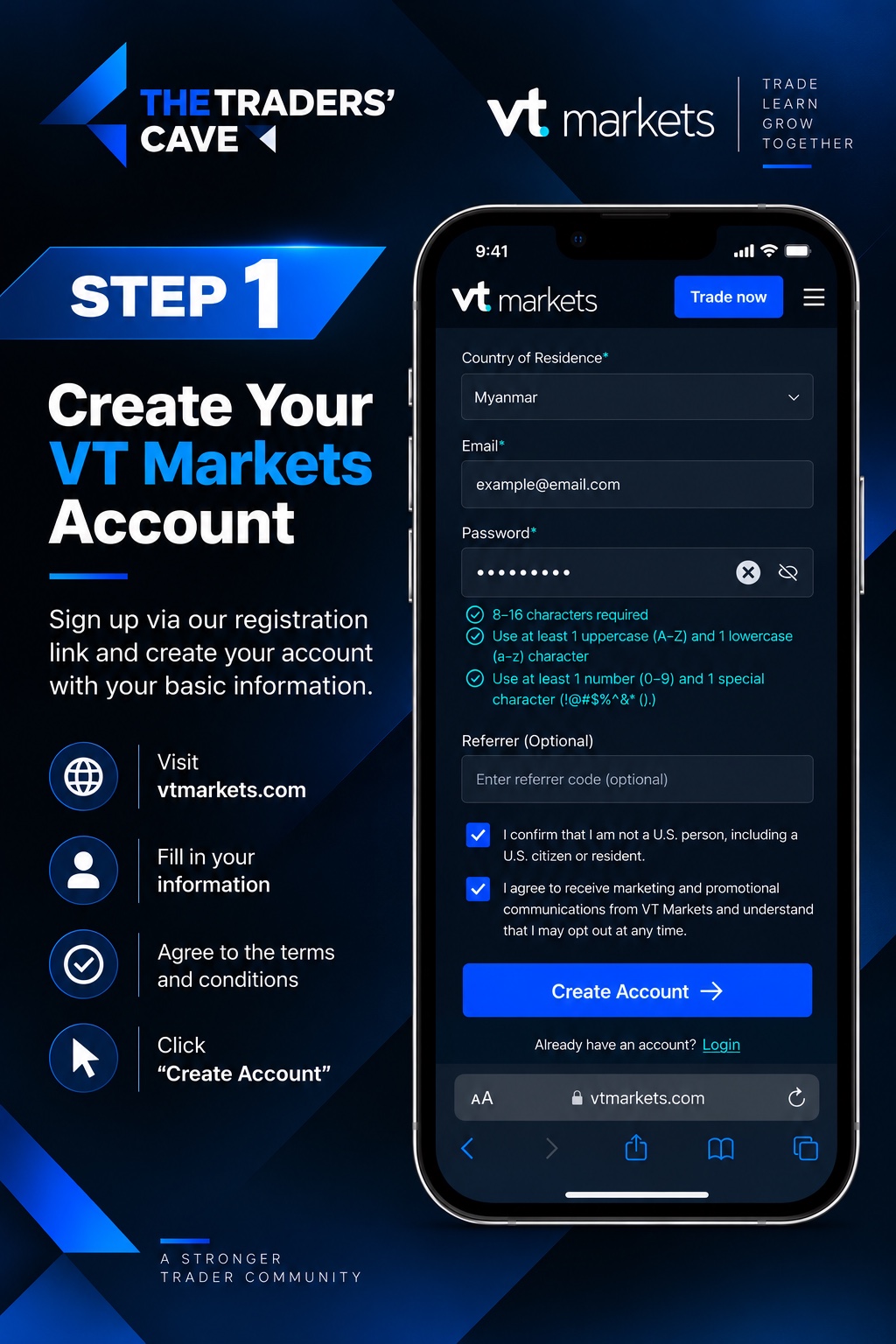
Open our VT Markets registration link, select your country of residence, enter your email address and create a password. Agree to the required terms, then click “Create Account”.
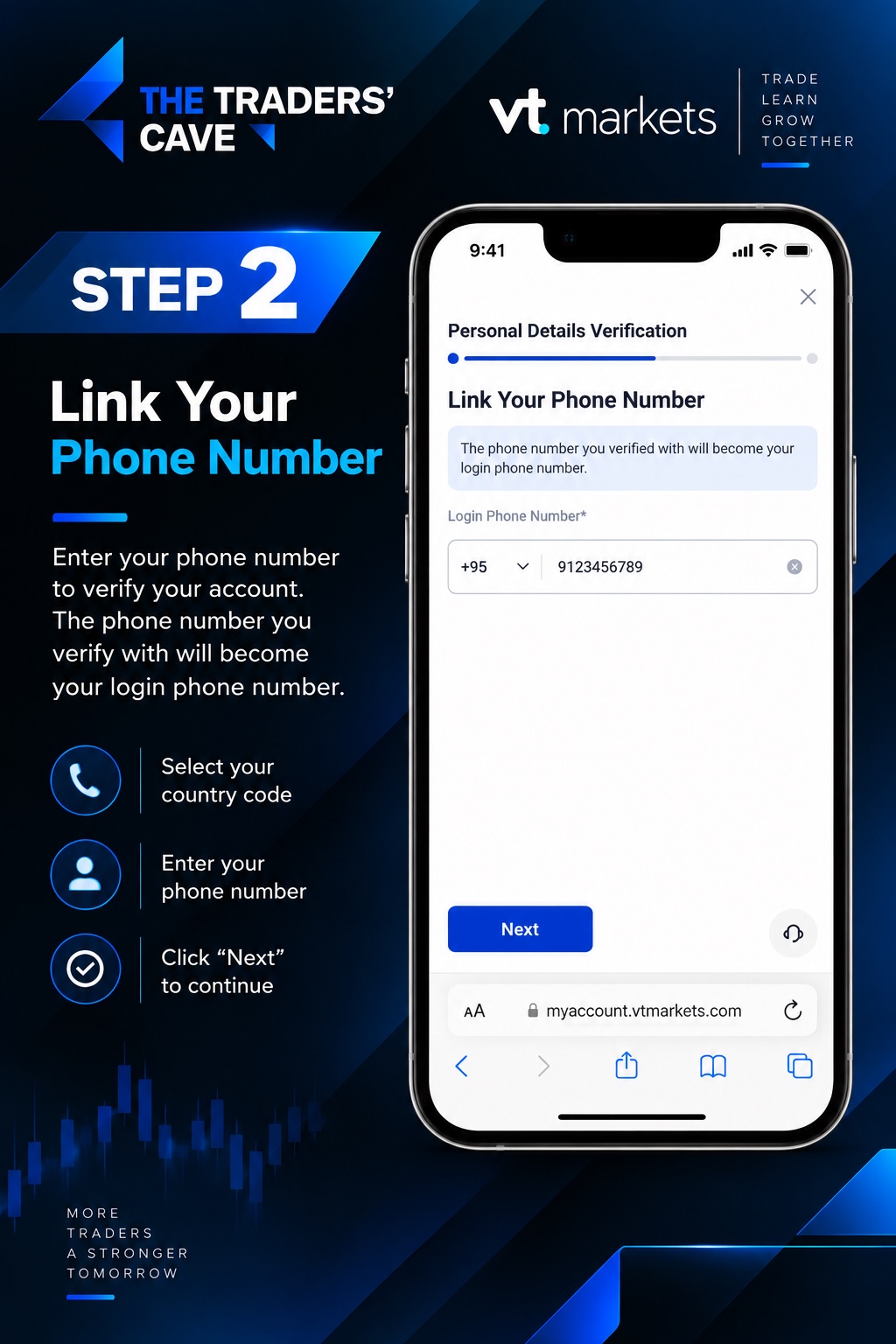
Select your country code and enter your phone number. The verified phone number will become your login phone number. Click “Next” to continue.
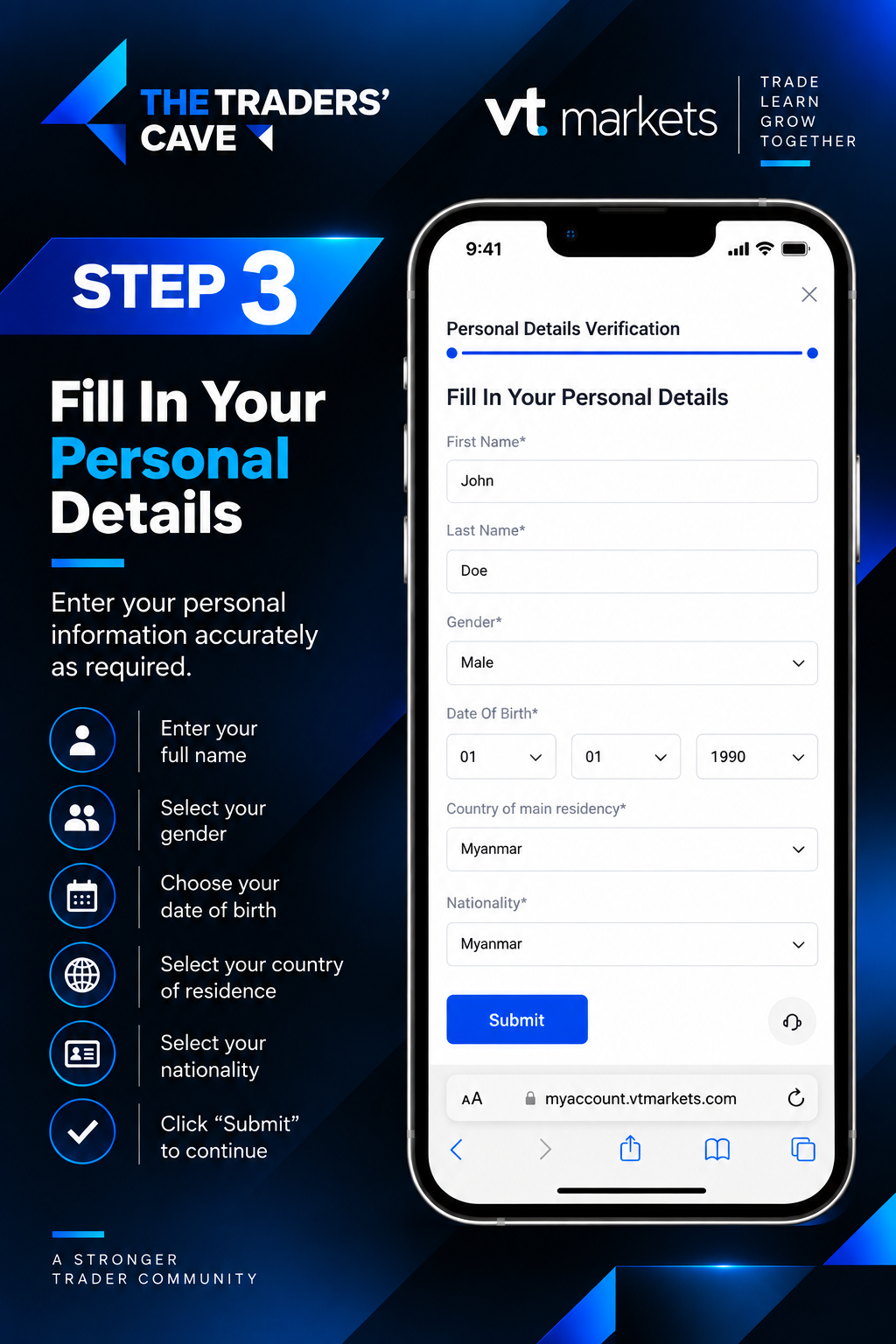
Enter your first name, last name, gender and date of birth. Select your country of residence and nationality, then click “Submit”.
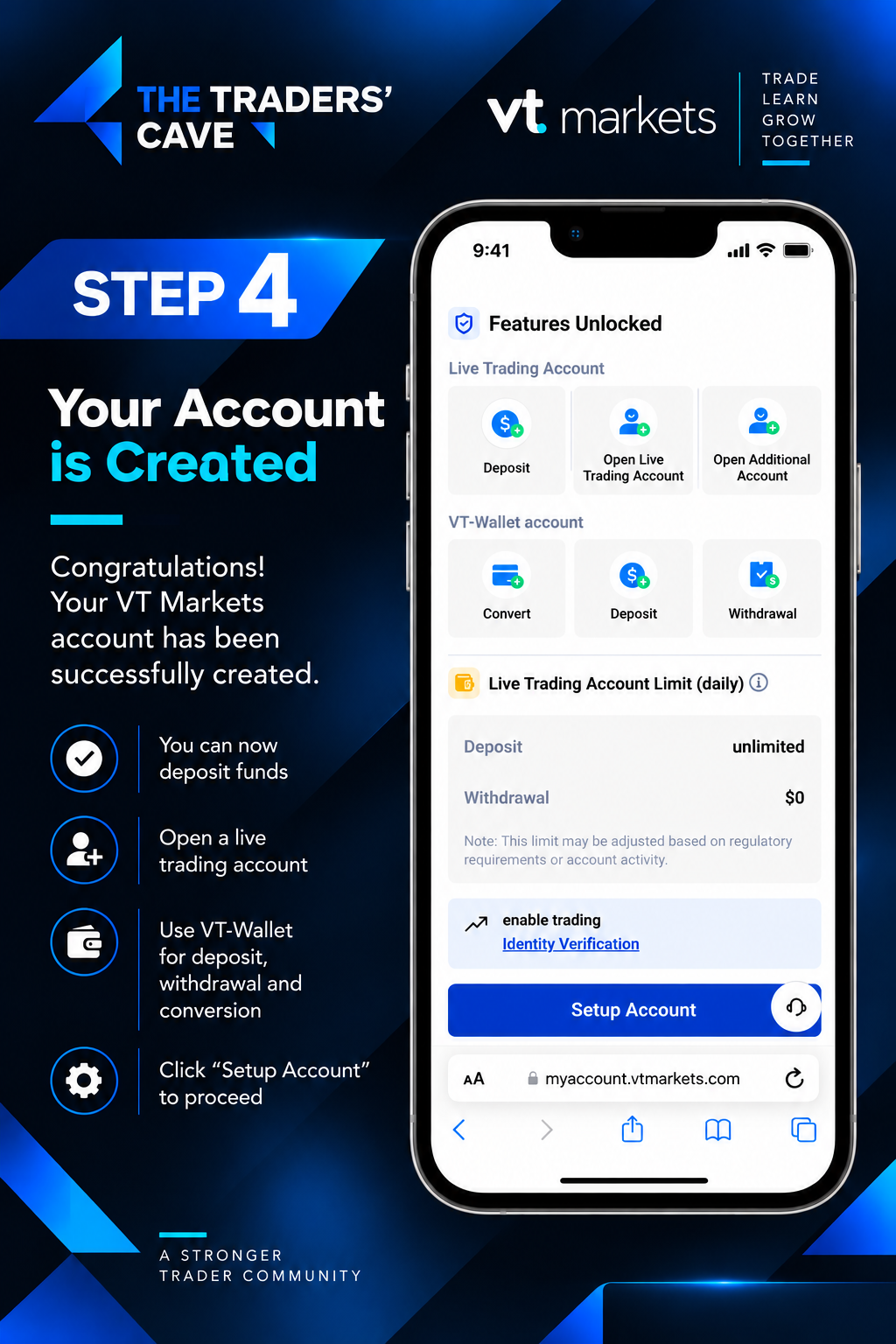
Your VT Markets account has now been created. Click “Setup Account” to continue with identity verification and trading account setup.
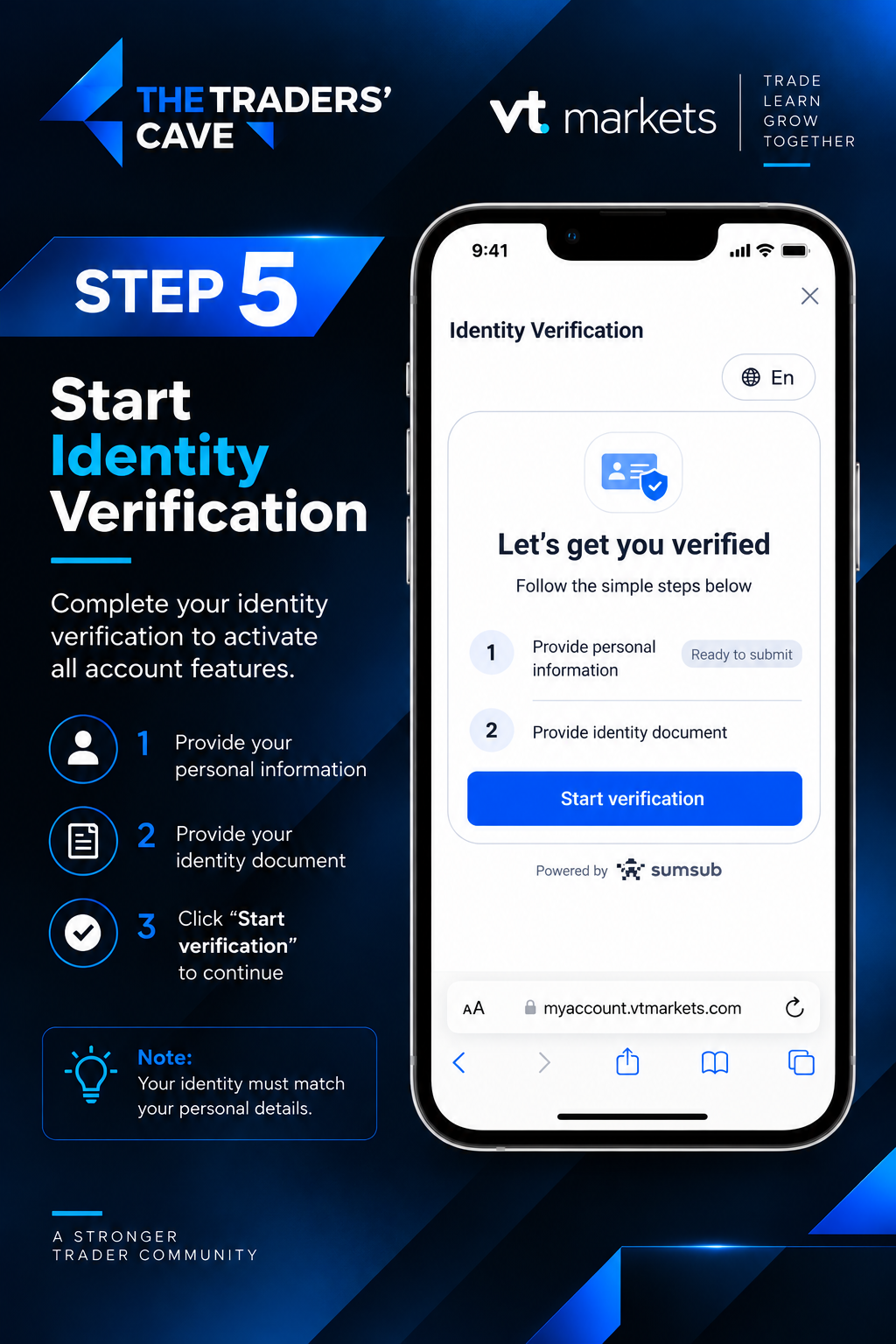
Start the identity verification process by providing your personal information and identity document. Click “Start verification” to continue.
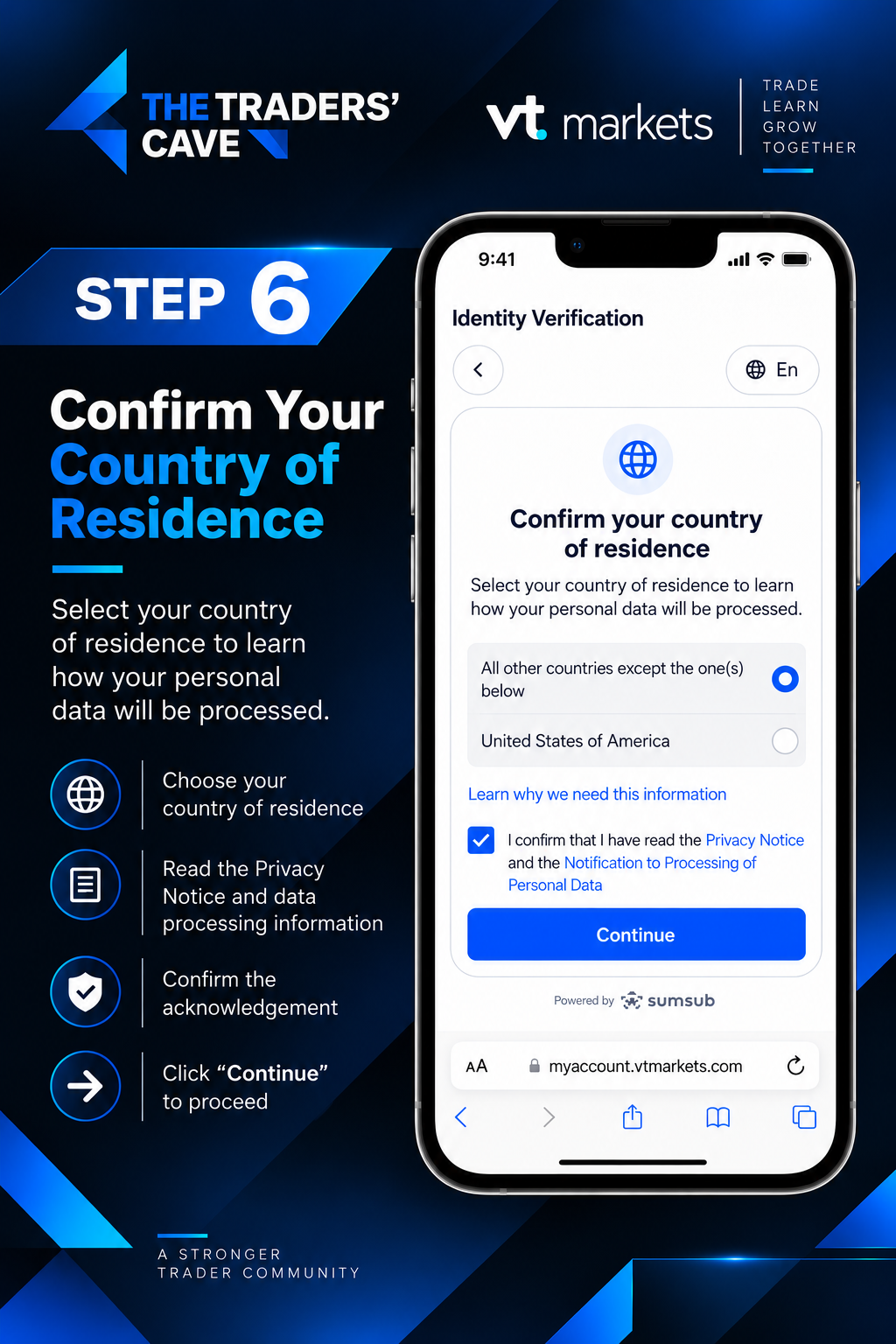
Confirm your country of residence and review the Privacy Notice and personal data processing information. Tick the acknowledgement box and click “Continue”.
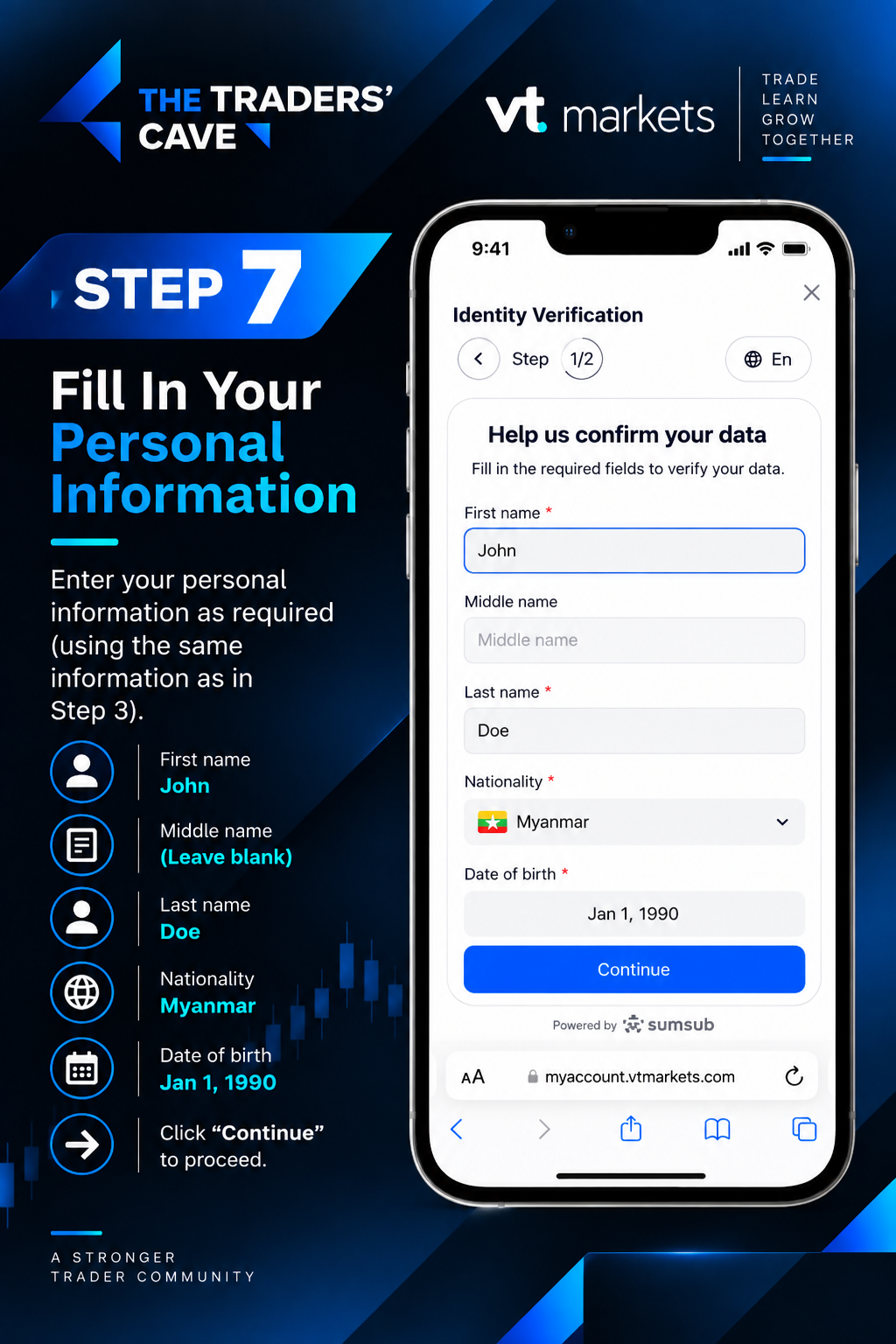
Enter your personal information as required. Make sure your name, nationality and date of birth match the information provided earlier, then click “Continue”.
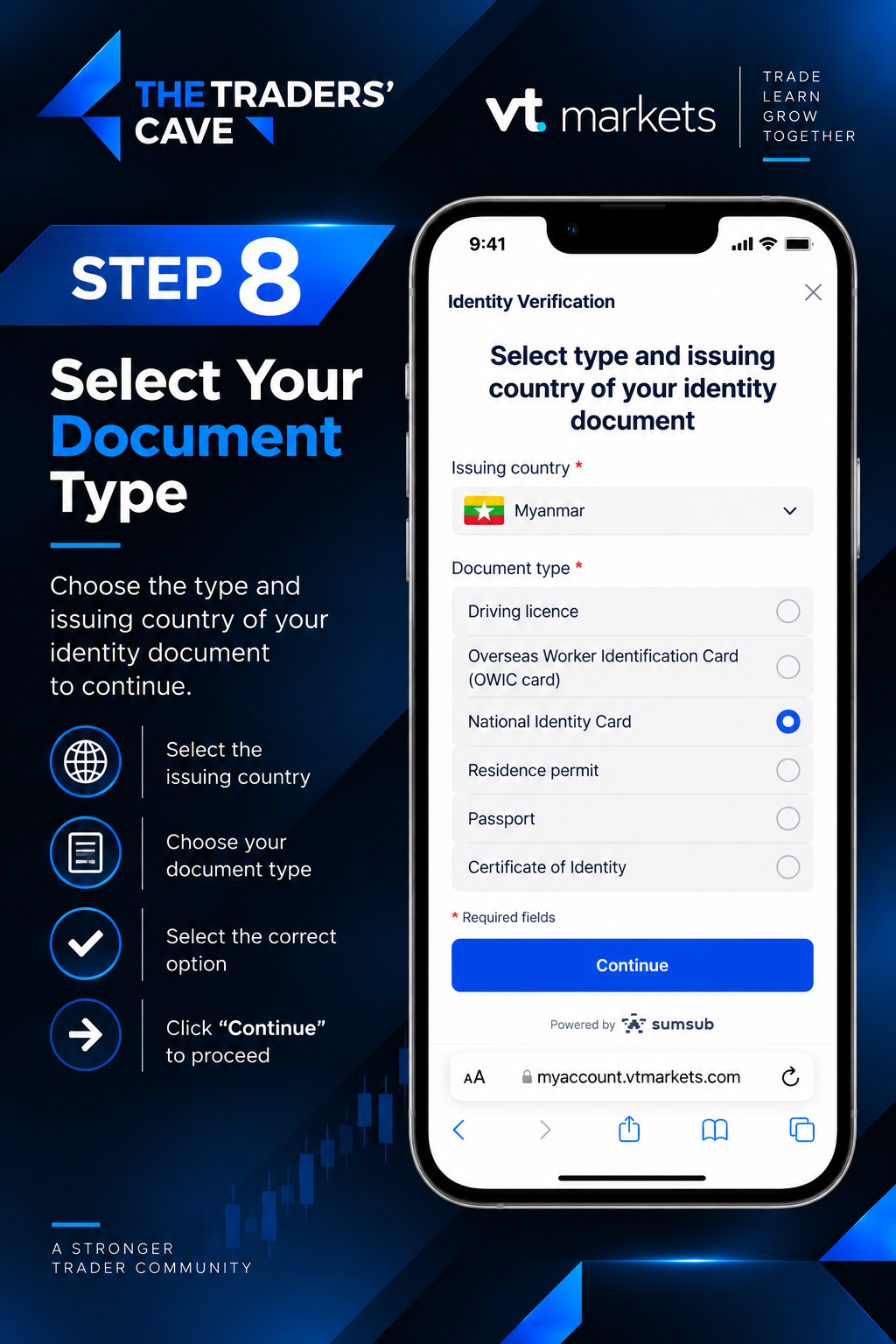
Select the issuing country of your identity document and choose the appropriate document type, such as National Identity Card or Passport. Click “Continue” to proceed.
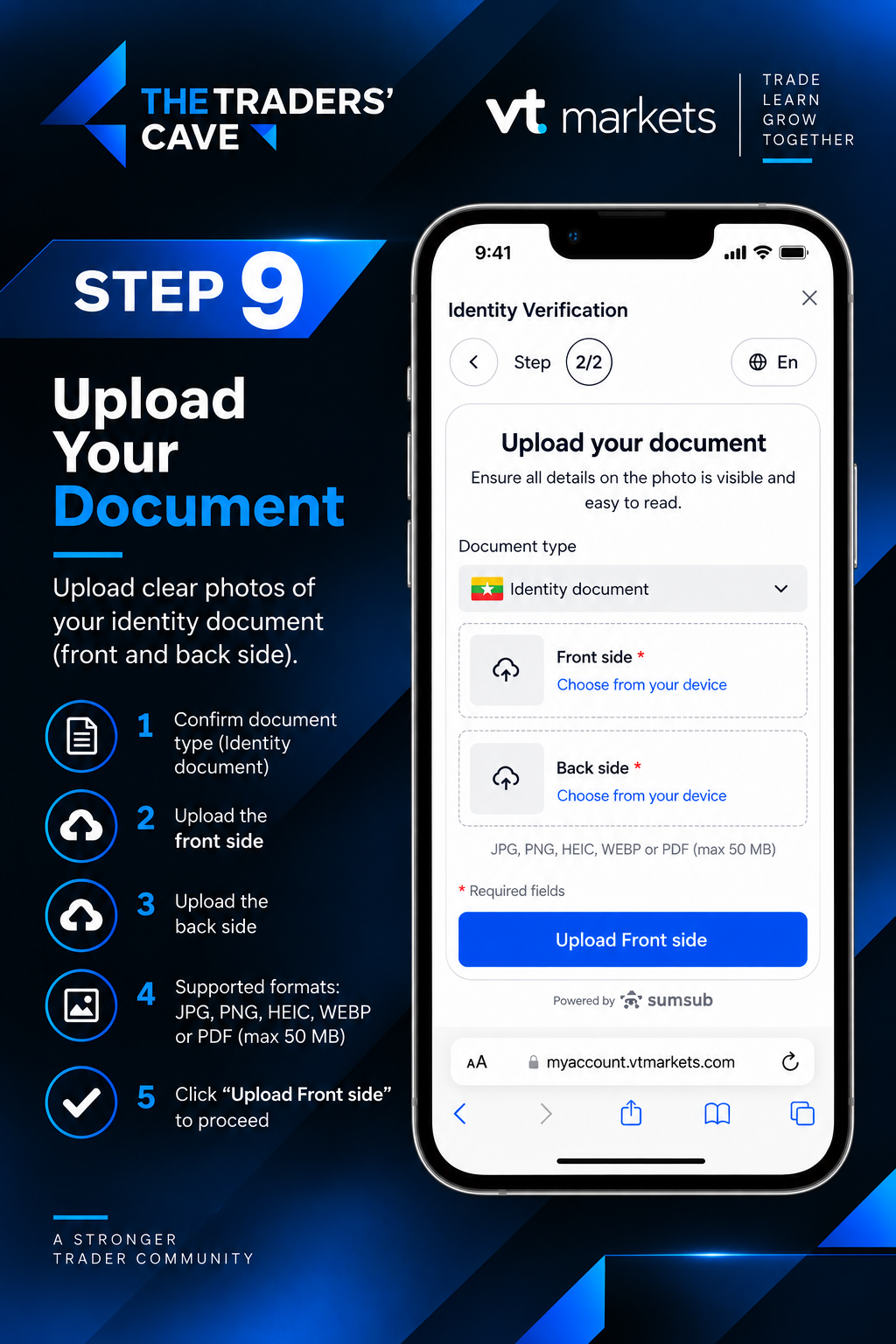
Upload clear and readable images of your identity document as required. If both sides are requested, upload the front and back sides, then continue the upload process.
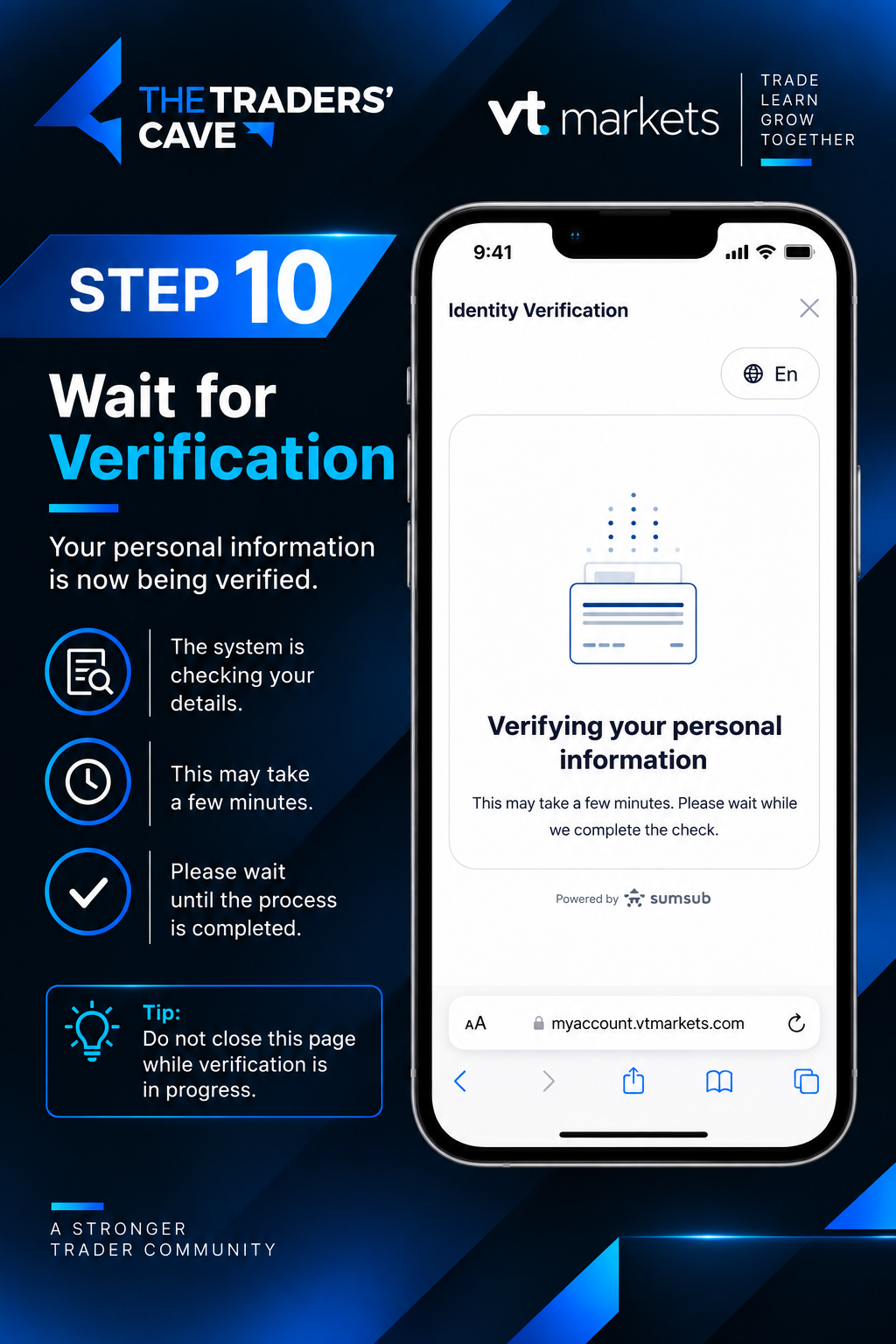
Your personal information and identity document are now being verified. Please wait until the verification process is completed.
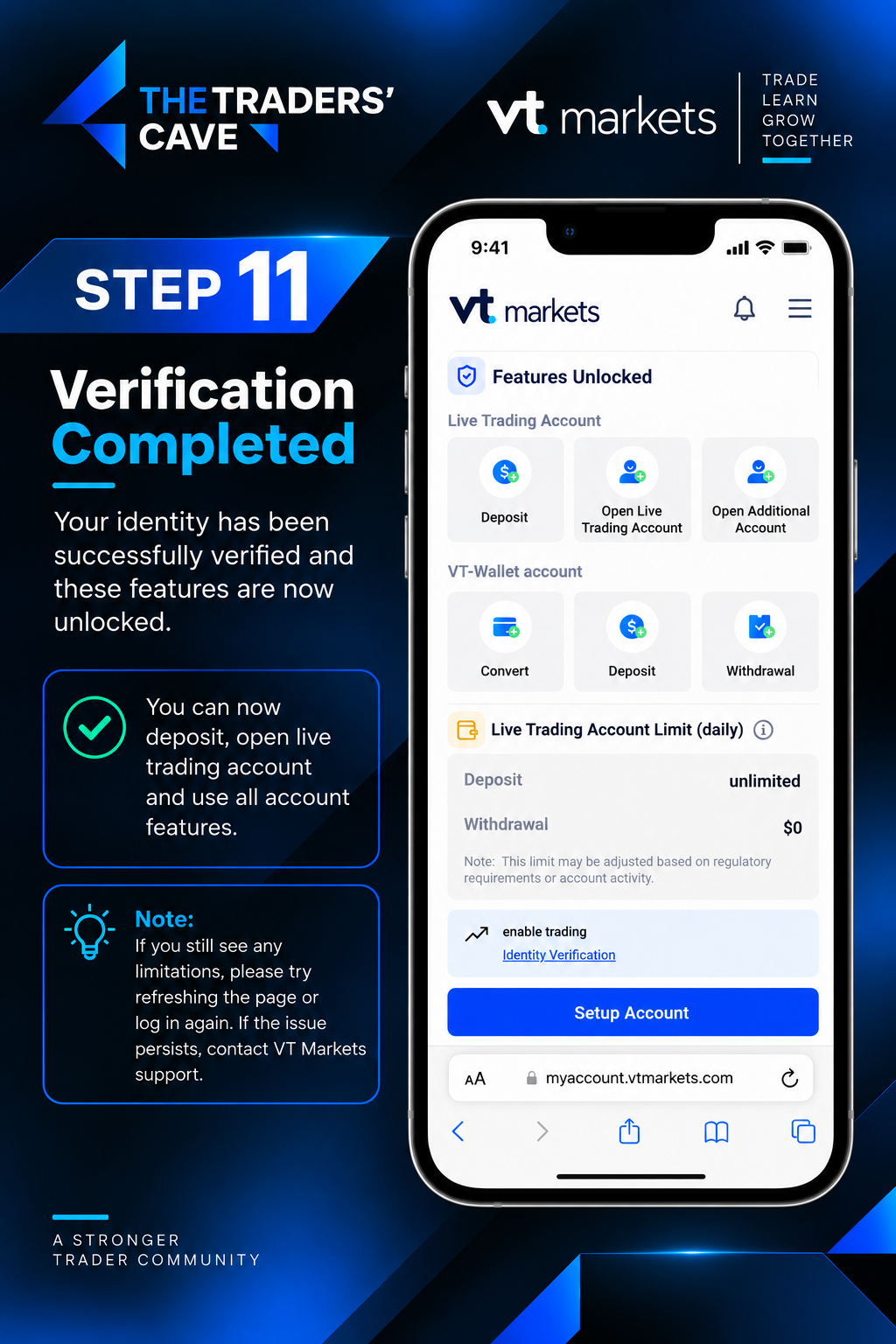
Once your identity verification is successfully completed, the relevant account features will be unlocked. You can then continue to set up your live trading account.
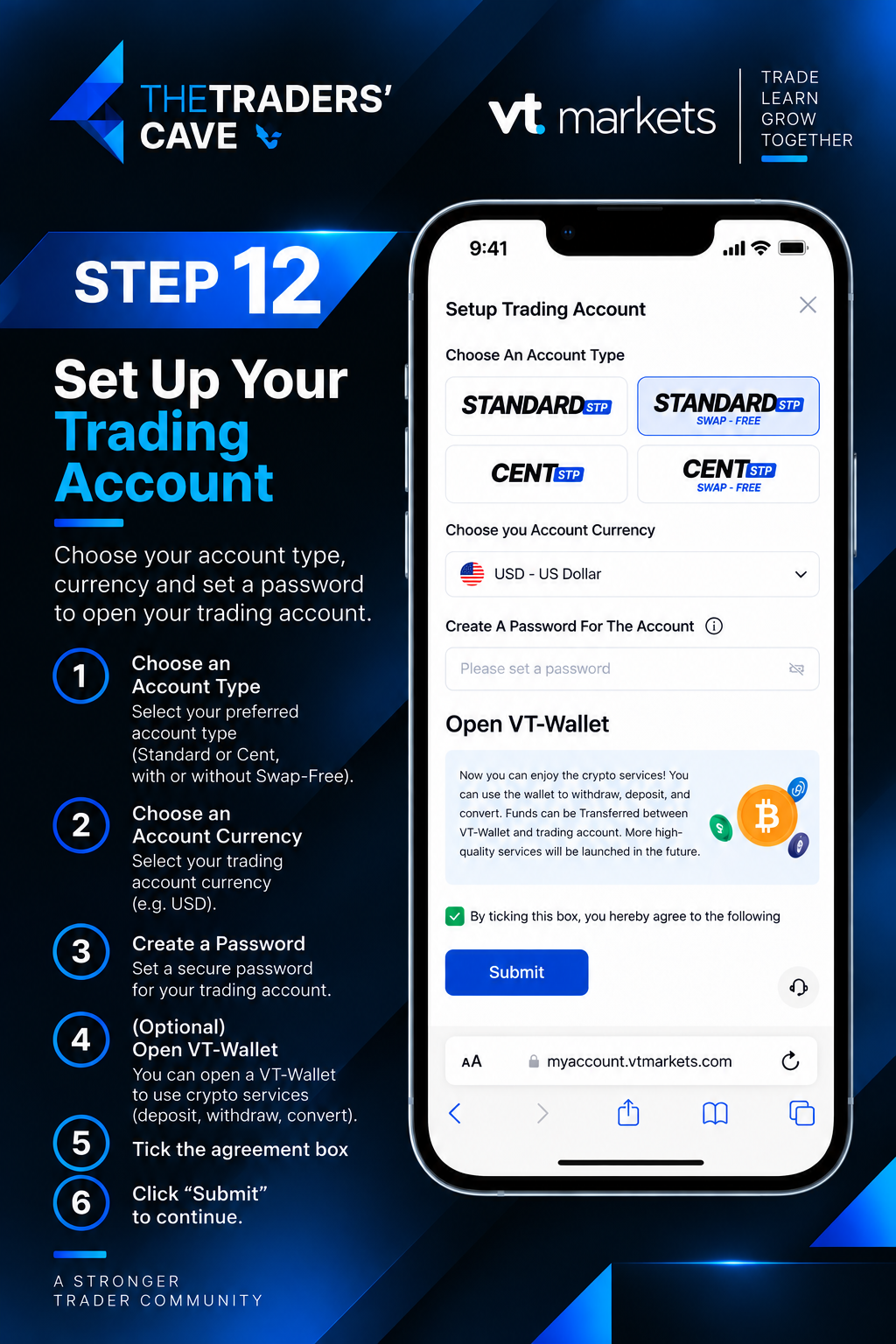
Choose your preferred trading account type, select the account currency and create a secure trading password. Review the agreement, tick the required box and click “Submit”.
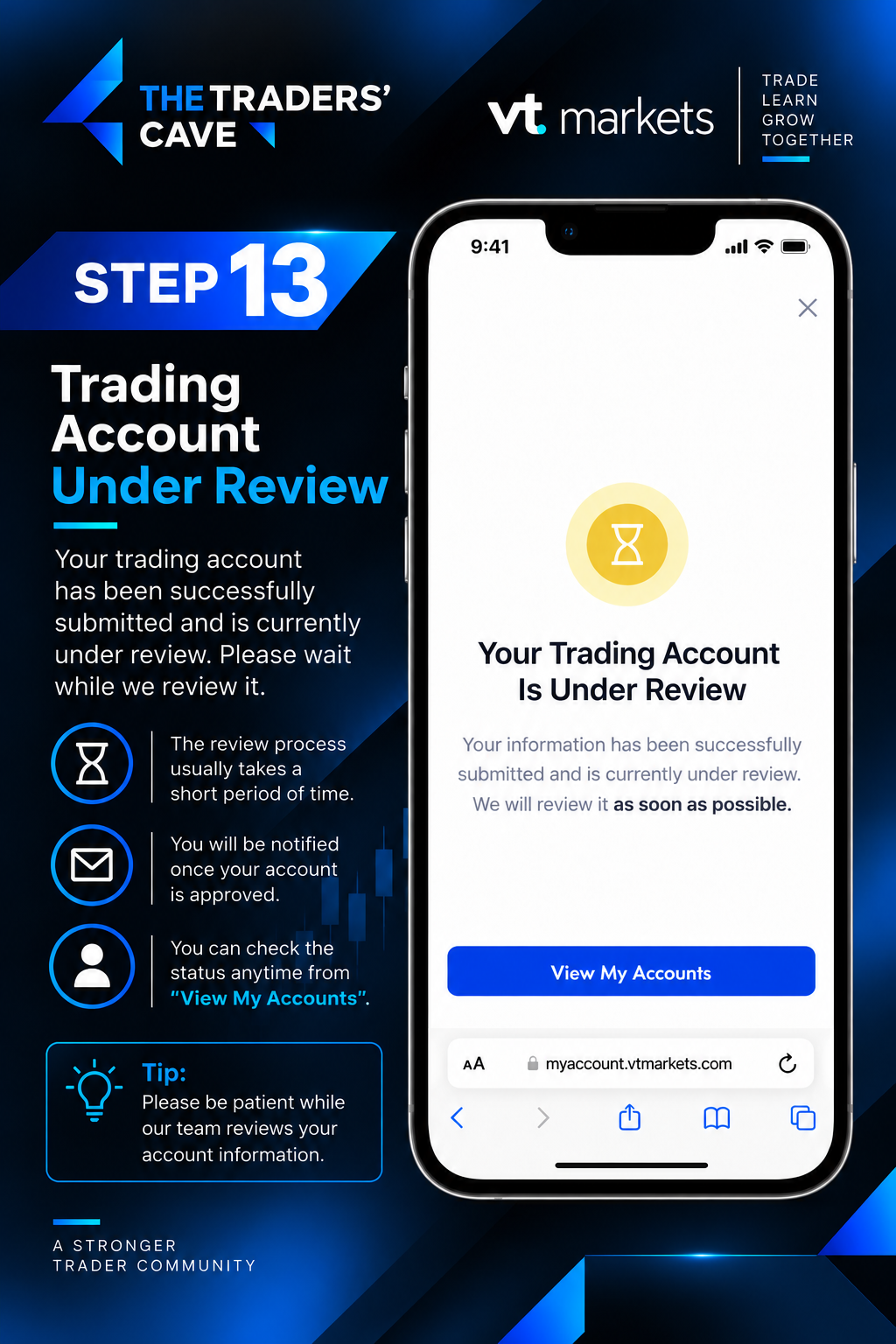
Your trading account application has been submitted and is currently under review. Please wait for the review to be completed. You can check the status from “View My Accounts”.
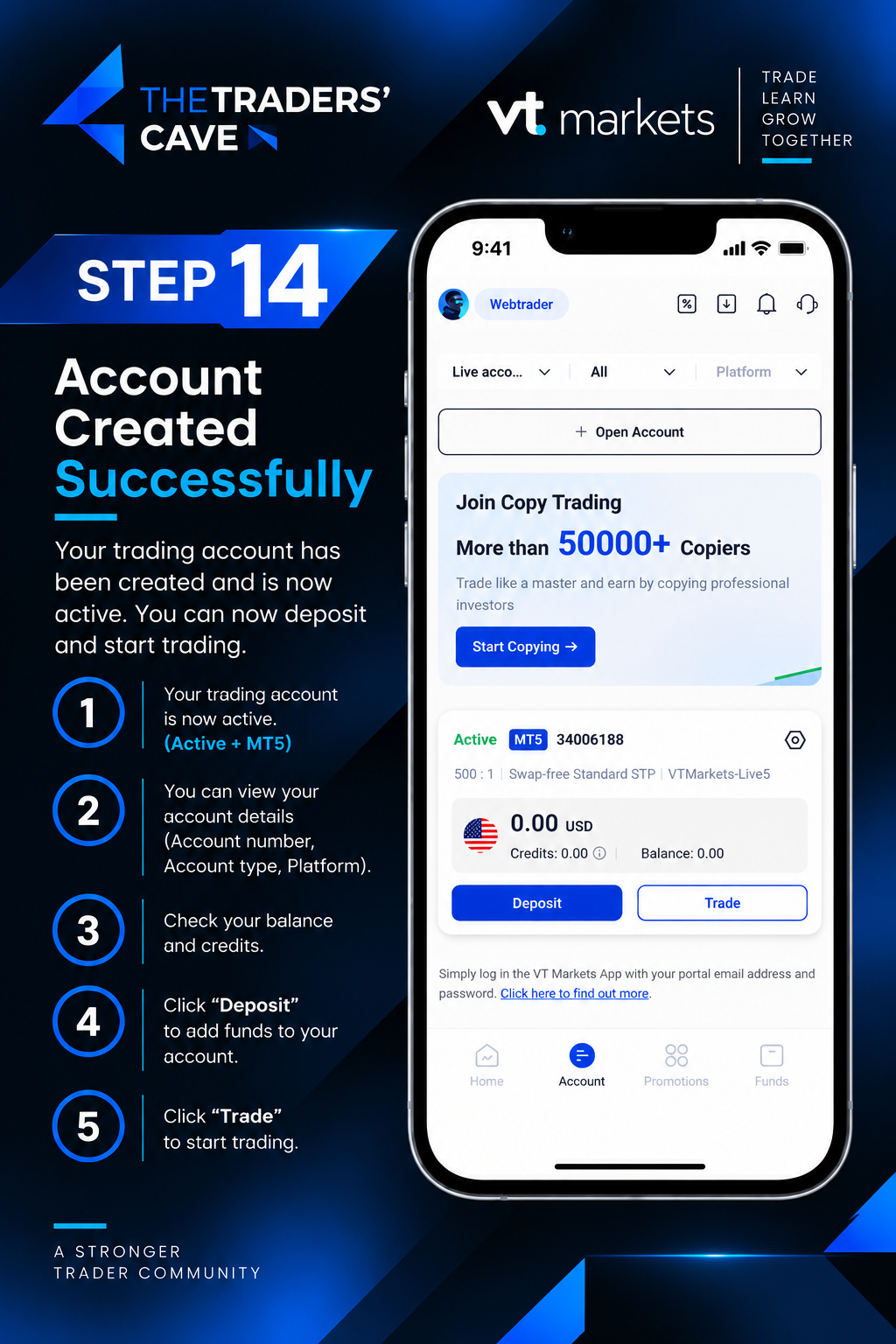
Once approved, your trading account will become active. Check your MT5 account number, account type, server, balance and other account details before proceeding.
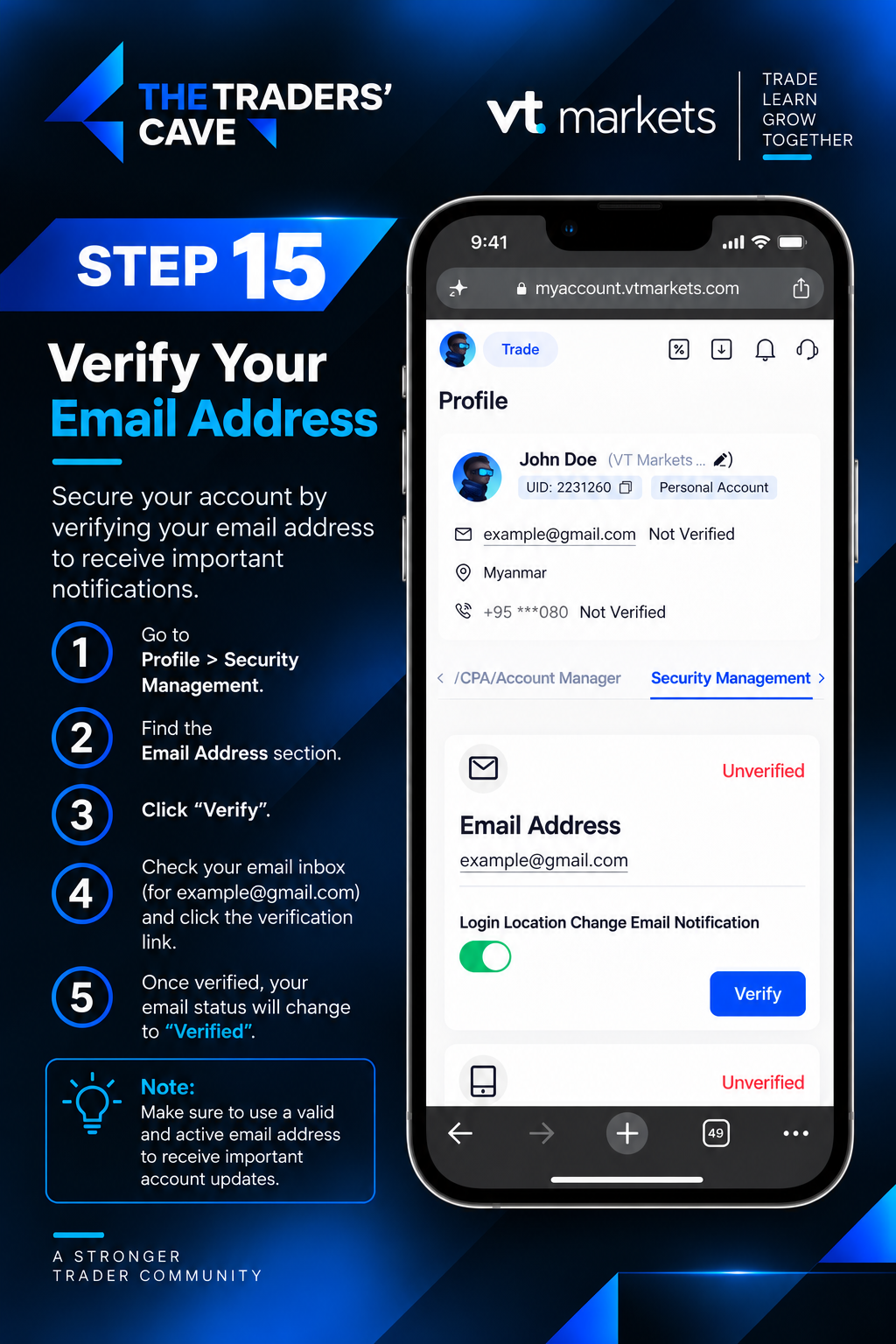
Go to Profile > Security Management and find the Email Address section. Click “Verify” to start verifying your registered email address.
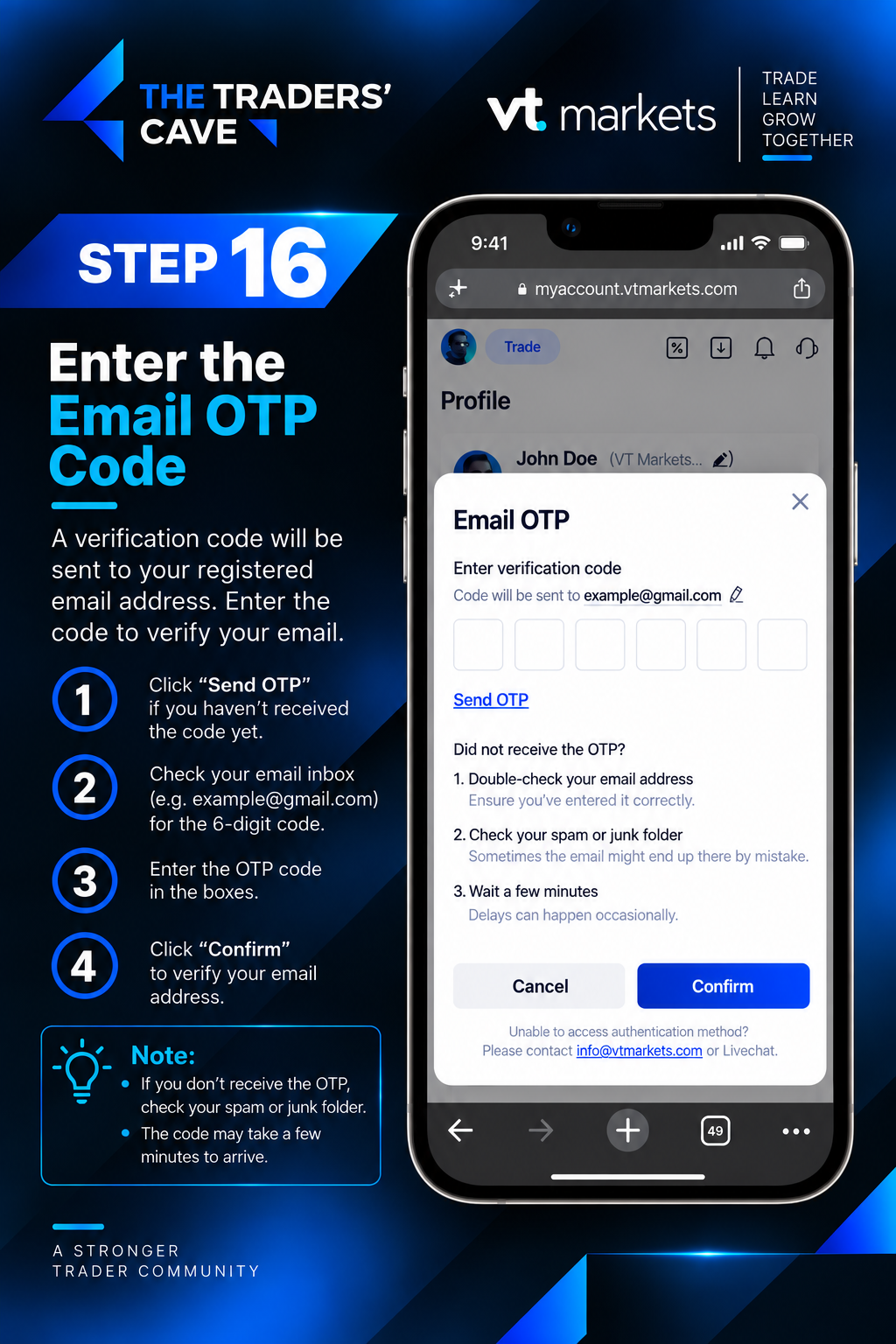
Request the Email OTP and check your registered email inbox for the verification code. Enter the OTP code and click “Confirm”.
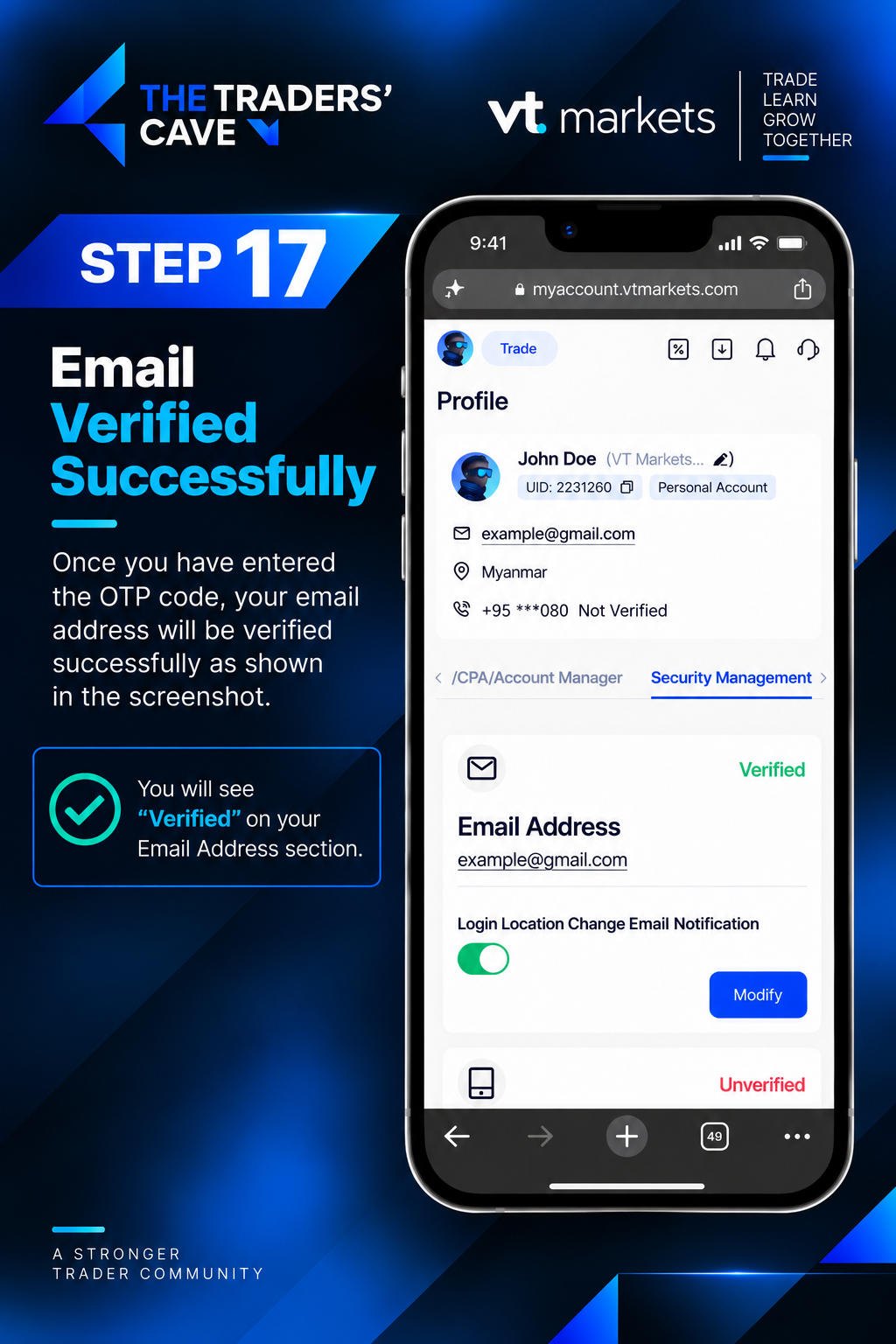
After the correct OTP code is confirmed, your email address will be successfully verified. Check that the Email Address section shows “Verified”.
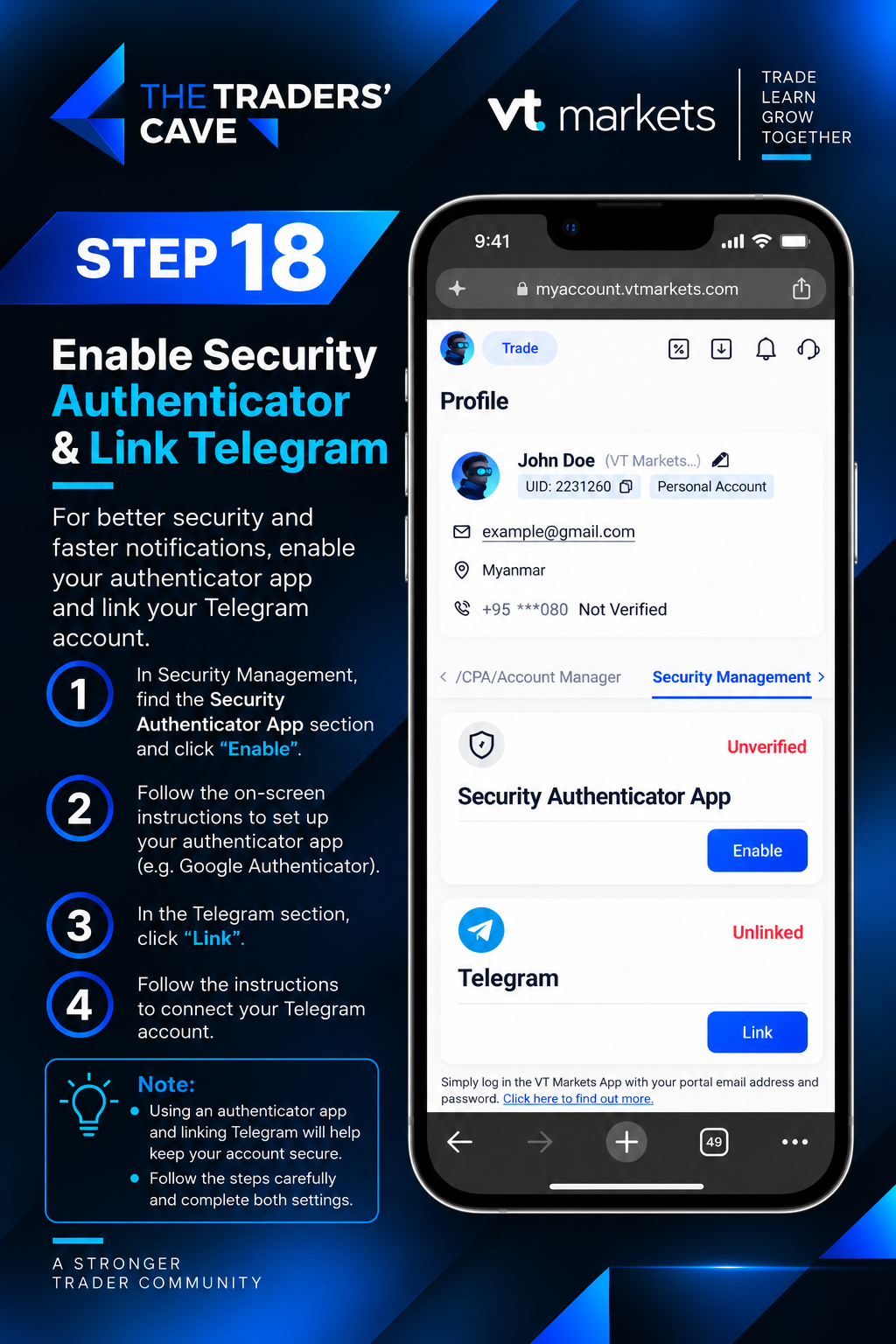
Go to Security Management and find the Security Authenticator App section. Click “Enable” to set up an authenticator app for additional account security. You may also link Telegram if desired.
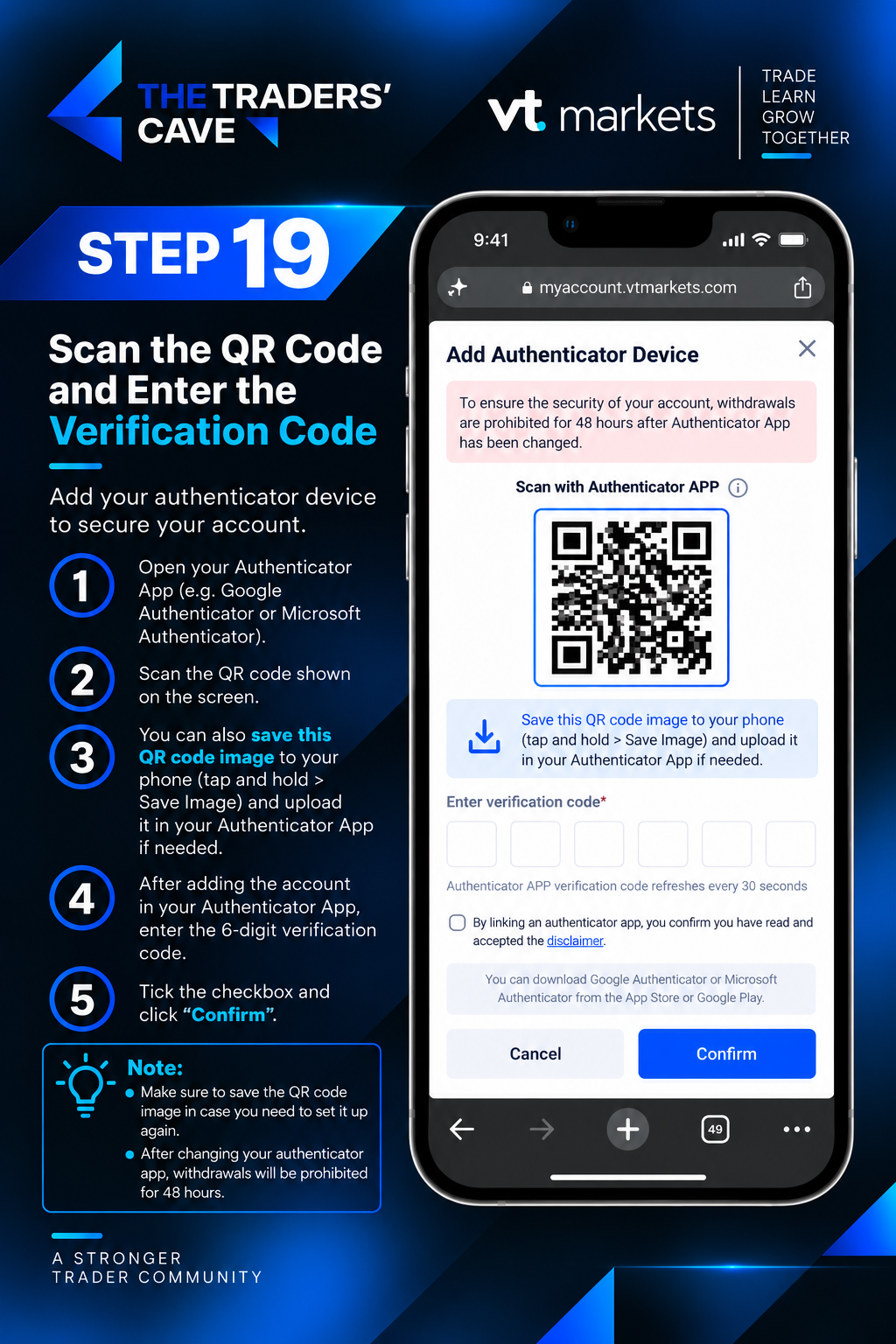
Open your authenticator app and scan the QR code shown on the screen. Enter the generated 6-digit verification code, accept the required acknowledgement and click “Confirm”.
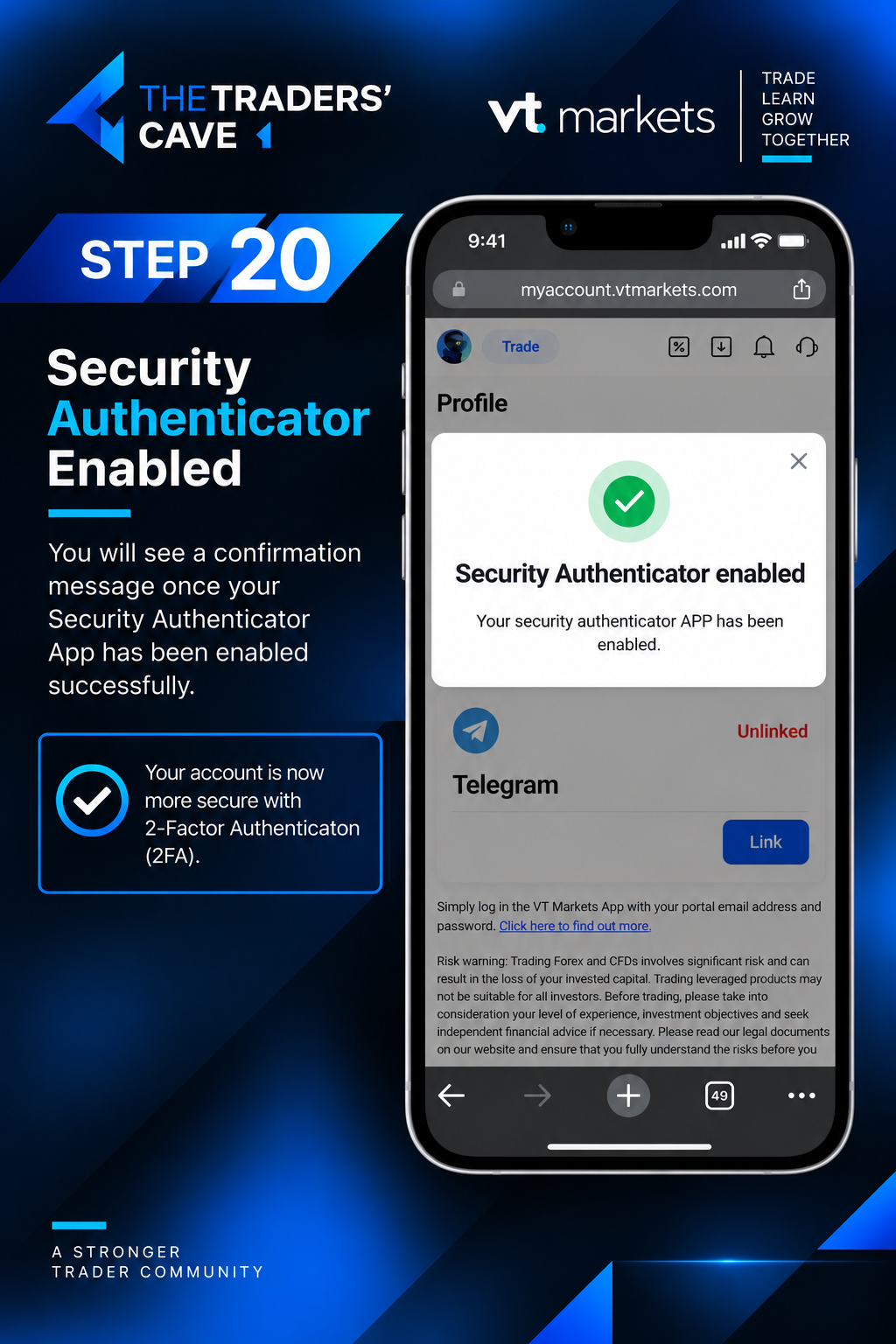
A confirmation message will appear once the Security Authenticator App has been enabled successfully. Your account is now protected with an additional layer of security.
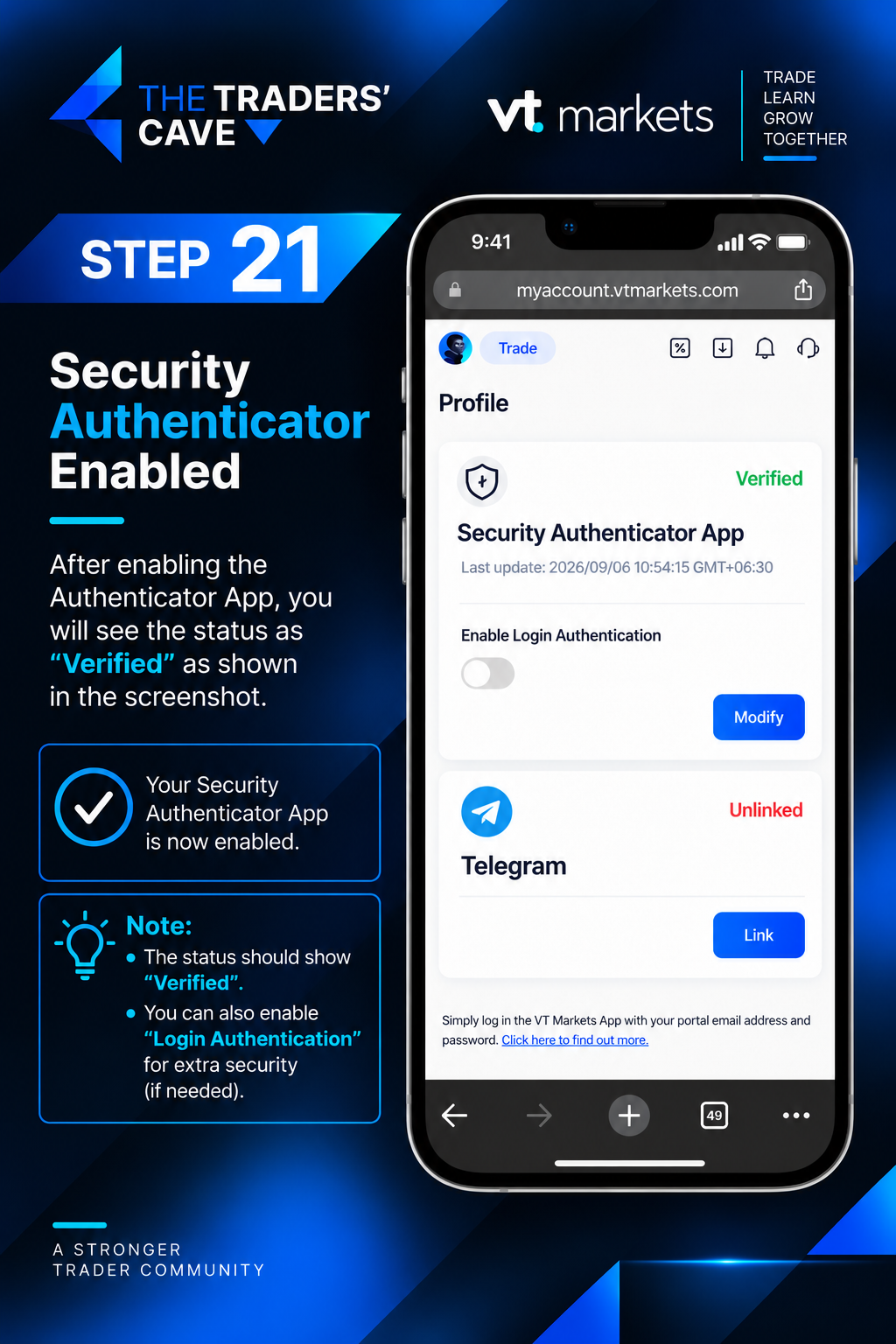
Return to Security Management and confirm that the Security Authenticator App status shows “Verified”. Your Security Authenticator setup is now complete.
How to Deposit Funds into Your VT Markets Account?
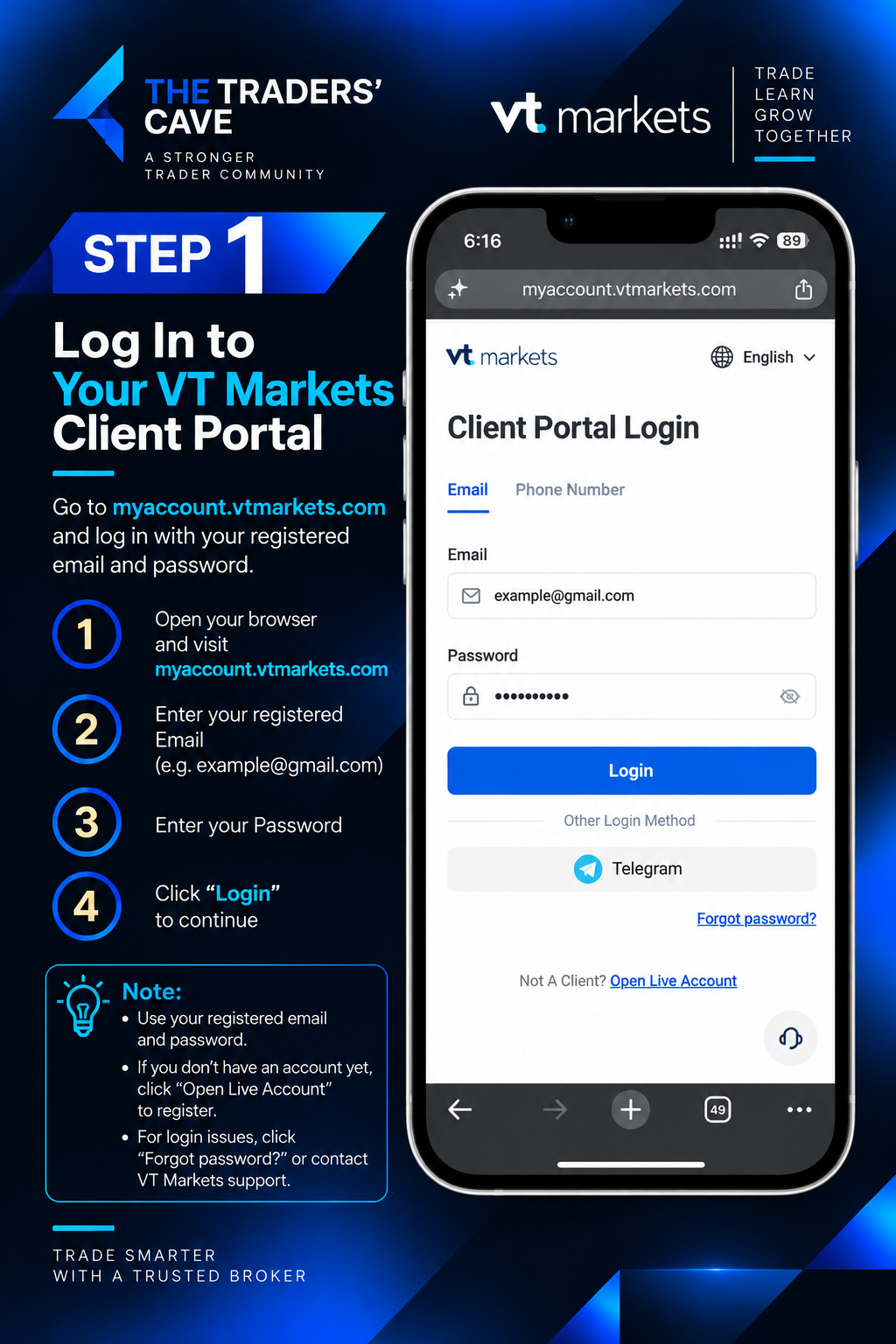
Log in to your VT Markets Client Portal using your registered email and password.
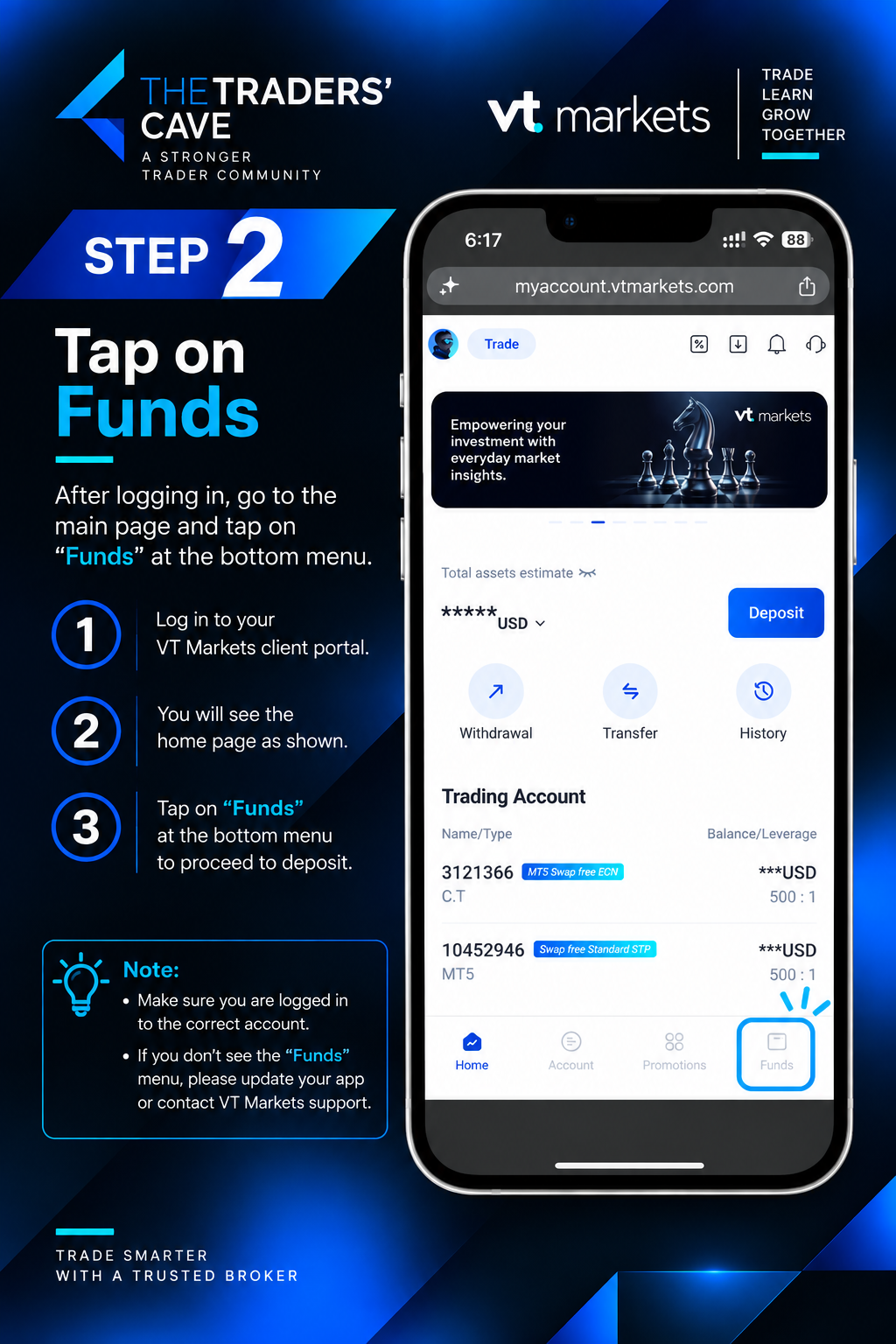
After logging in, go to the main page and tap “Funds” from the bottom menu.
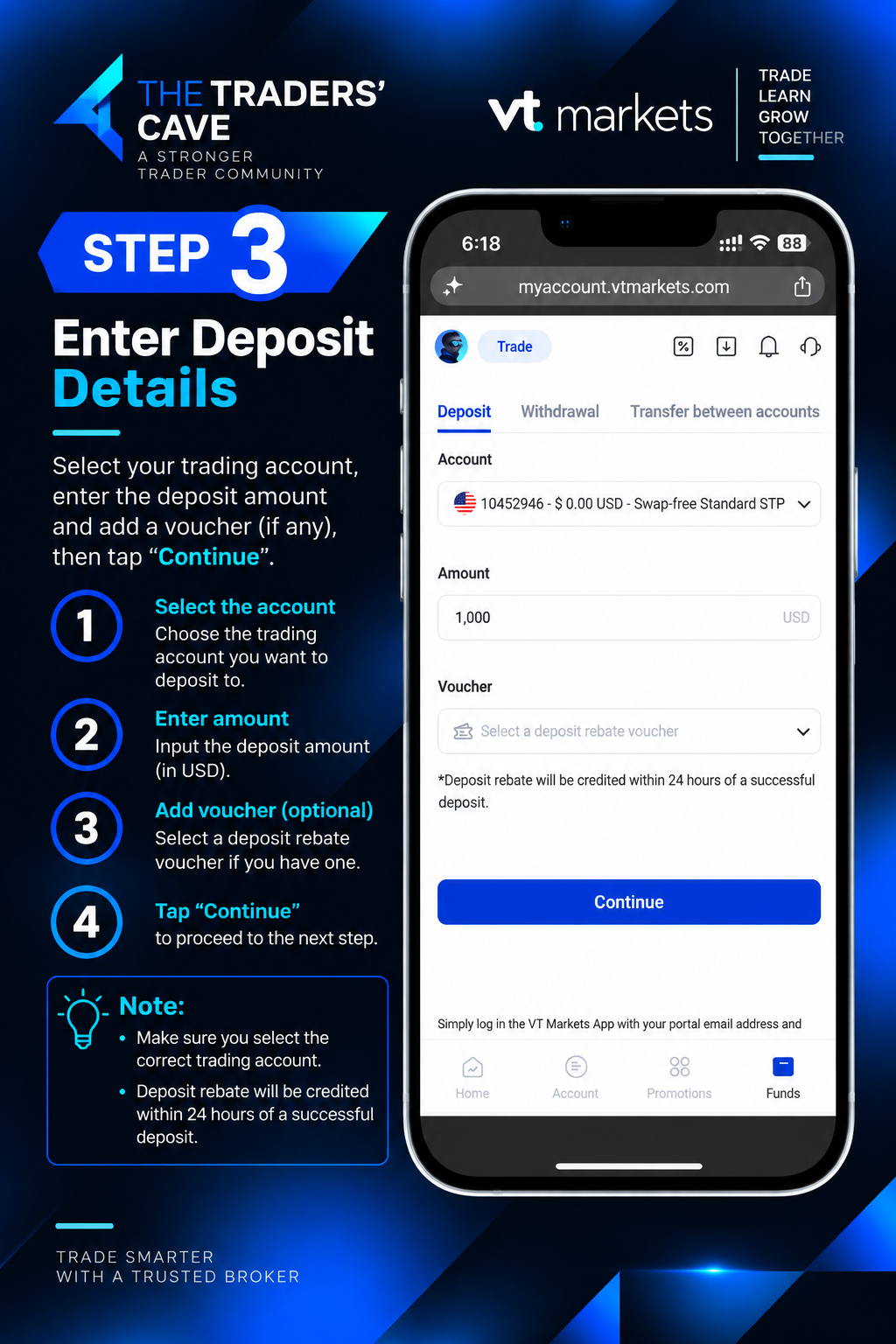
Select the trading account you want to deposit into, enter the deposit amount, and tap “Continue”.
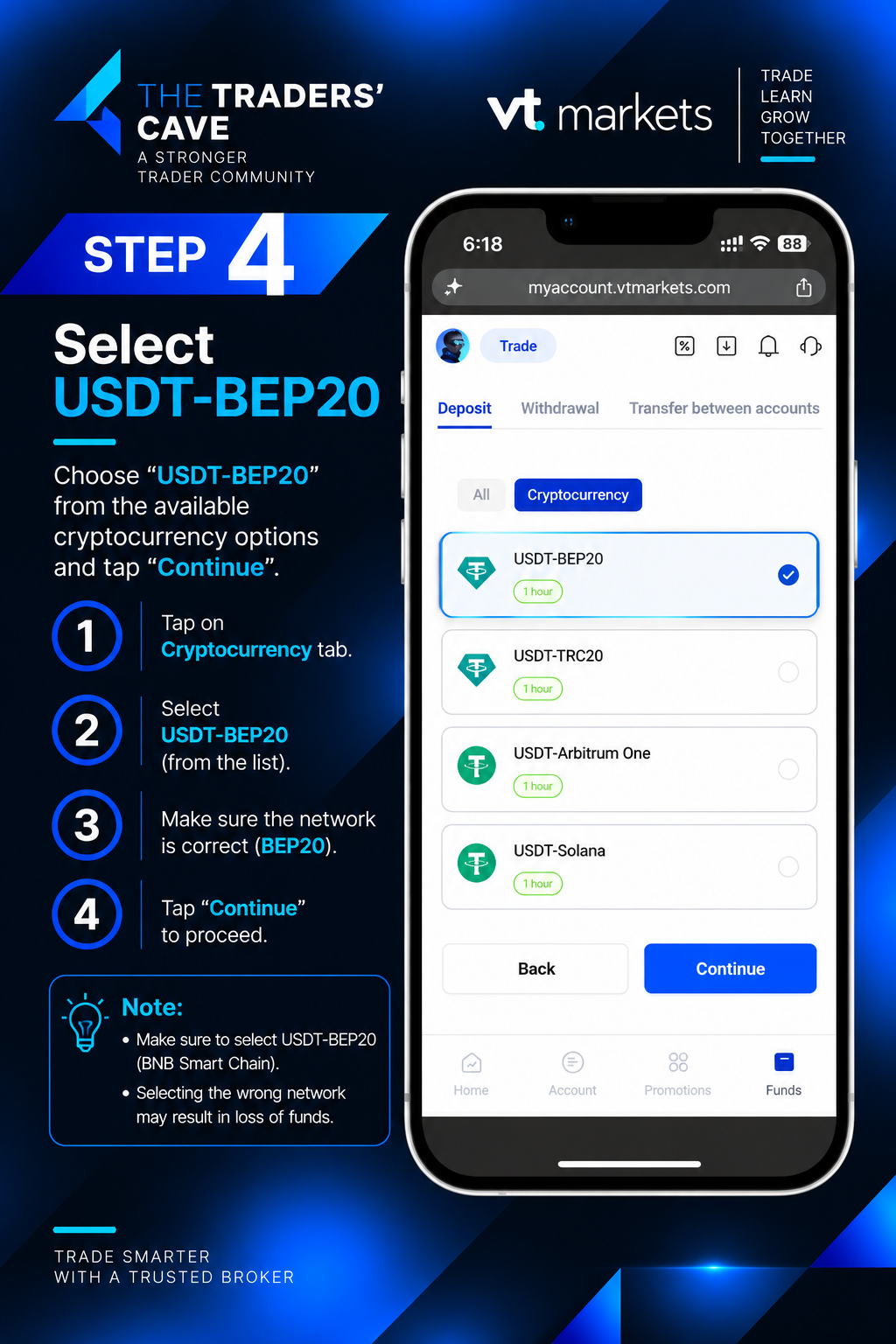
Select “Cryptocurrency”, choose “USDT-BEP20”, make sure the network is BEP20, and tap “Continue”.
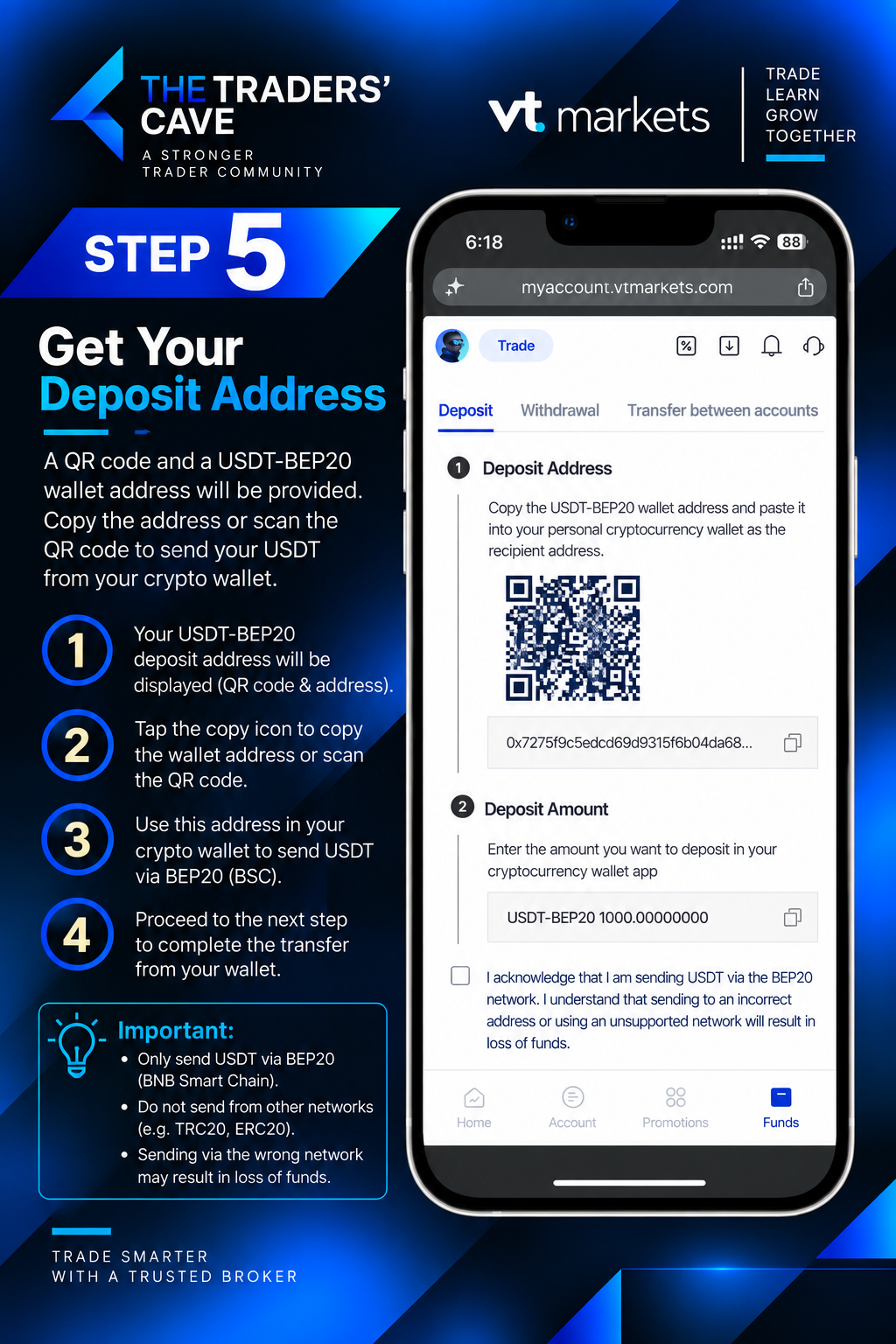
Copy the provided USDT-BEP20 deposit address or scan the QR code, then use it as the recipient address in your crypto wallet.
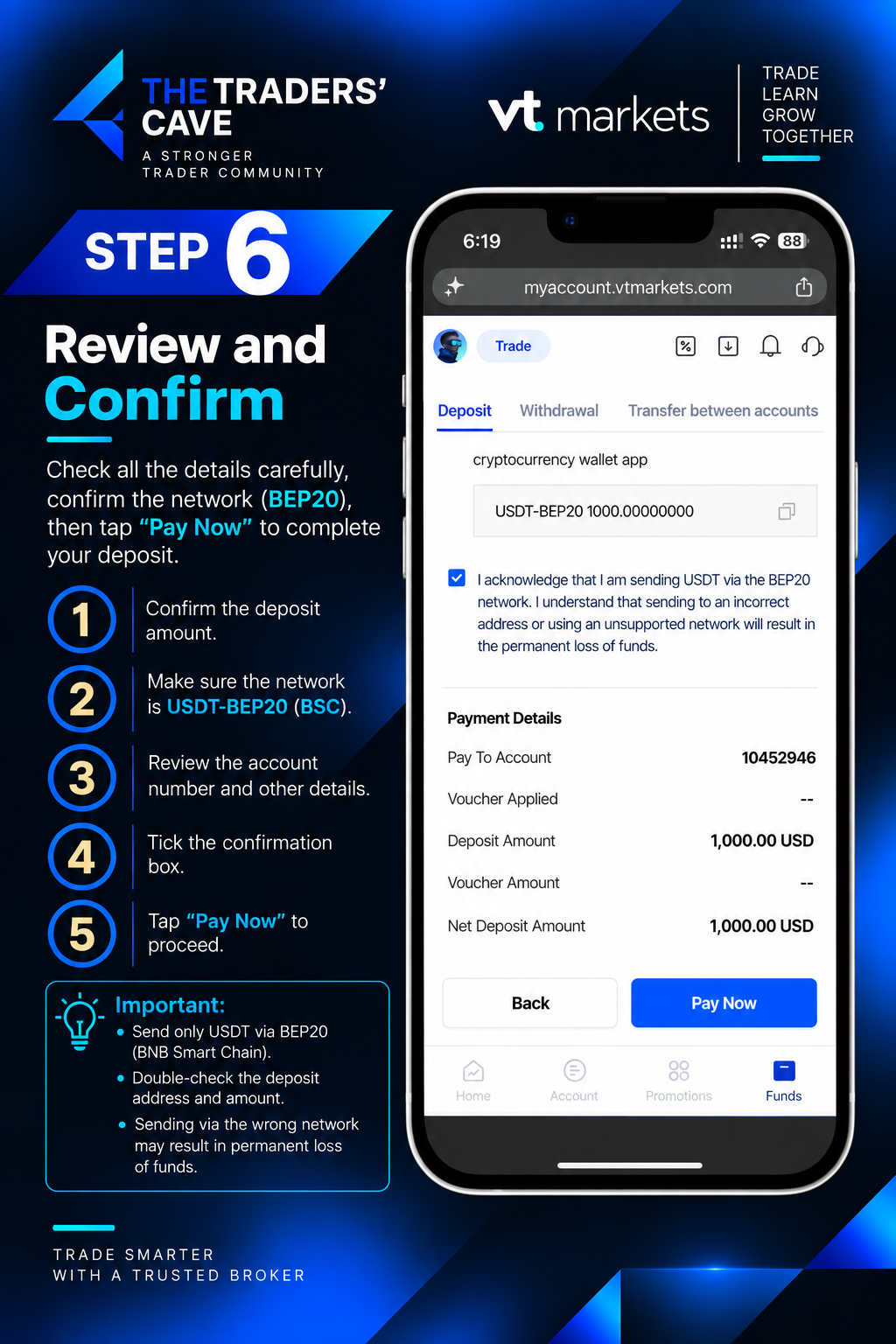
Review the deposit amount, account details, and BEP20 network carefully. Tick the confirmation box and tap “Pay Now”.
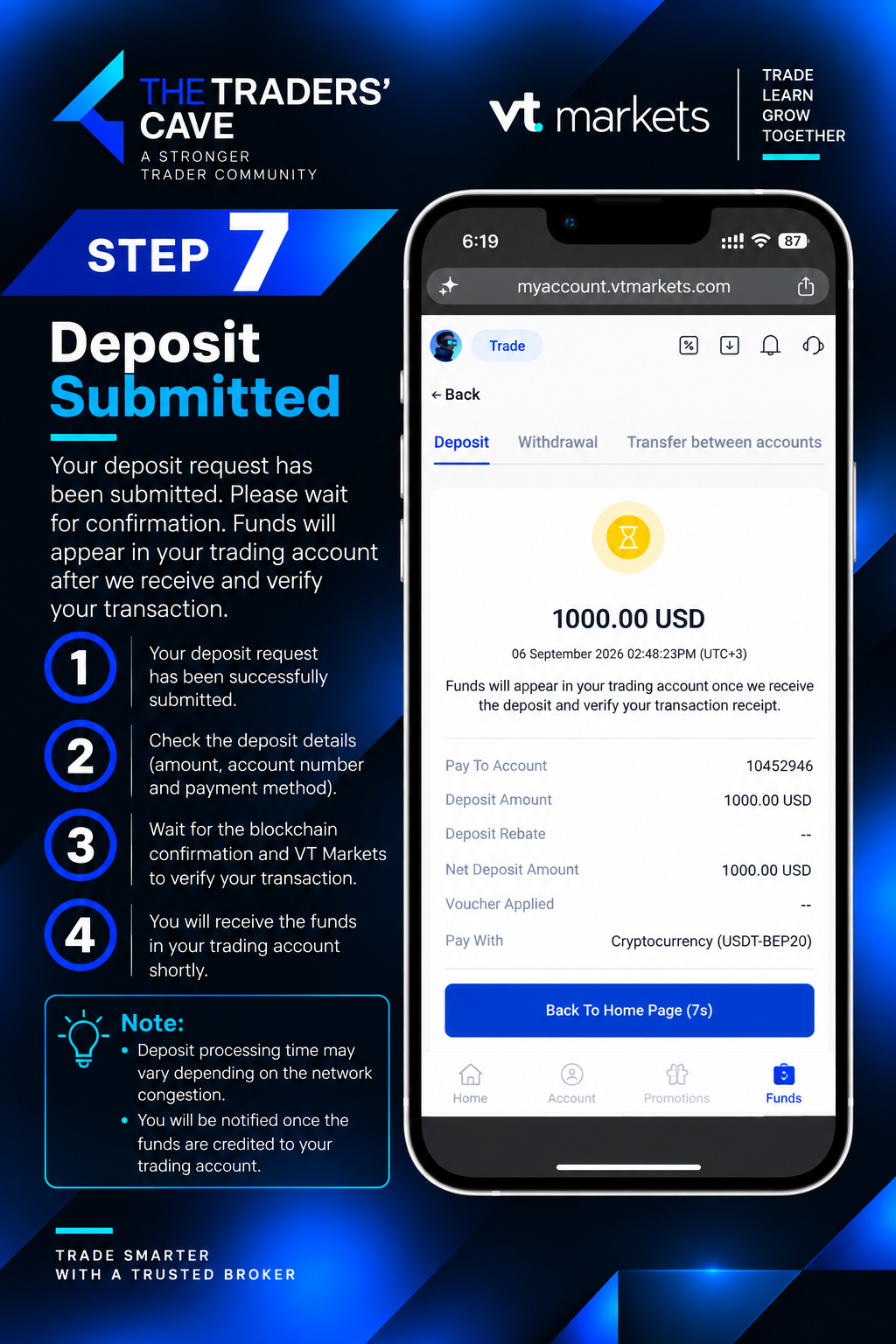
Your deposit request has now been submitted. Wait for the transaction to be confirmed and processed.
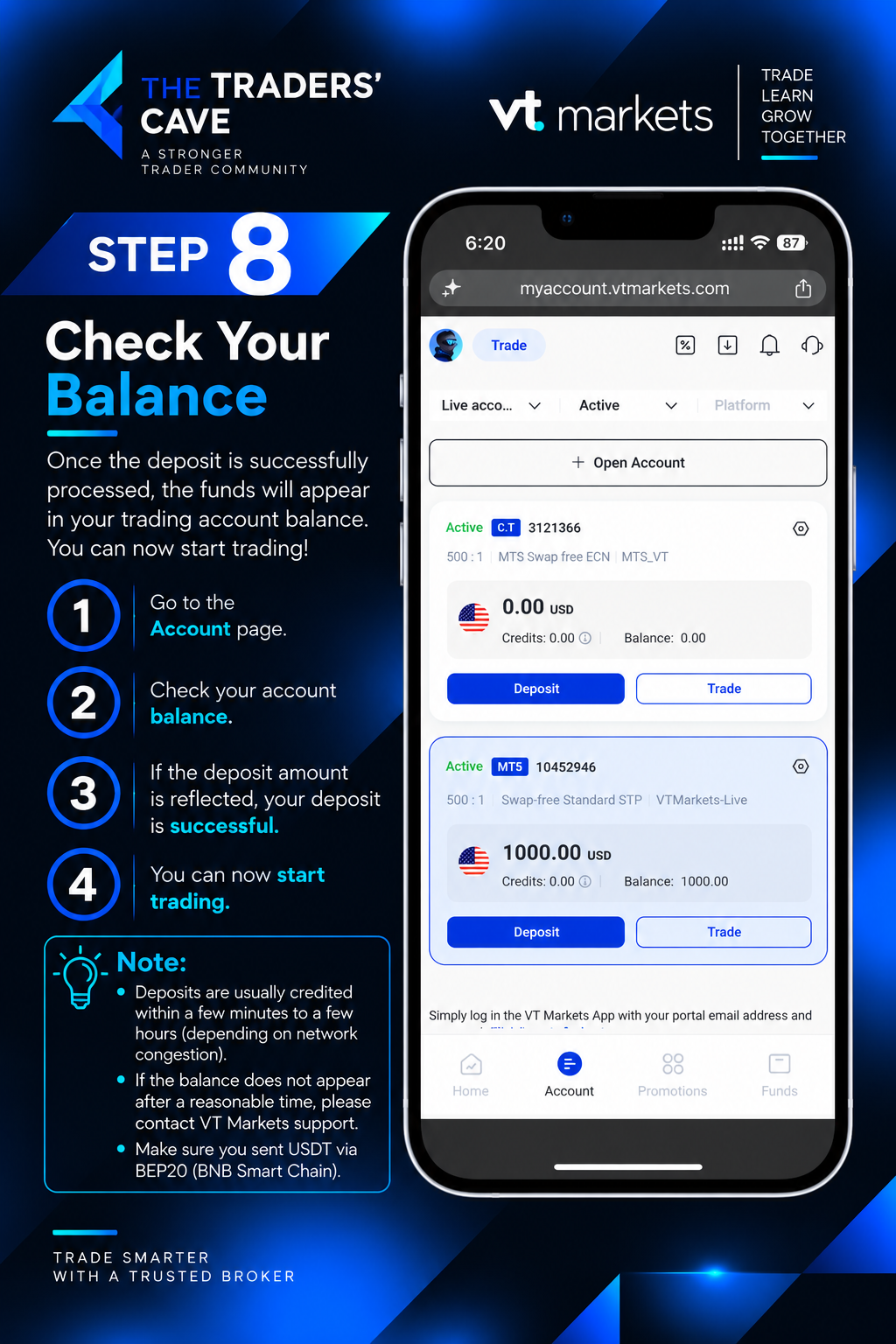
Go to the Account page and check your trading account balance. Once the deposited funds appear, your deposit is complete.
How to Withdraw Funds from Your VT Markets Account
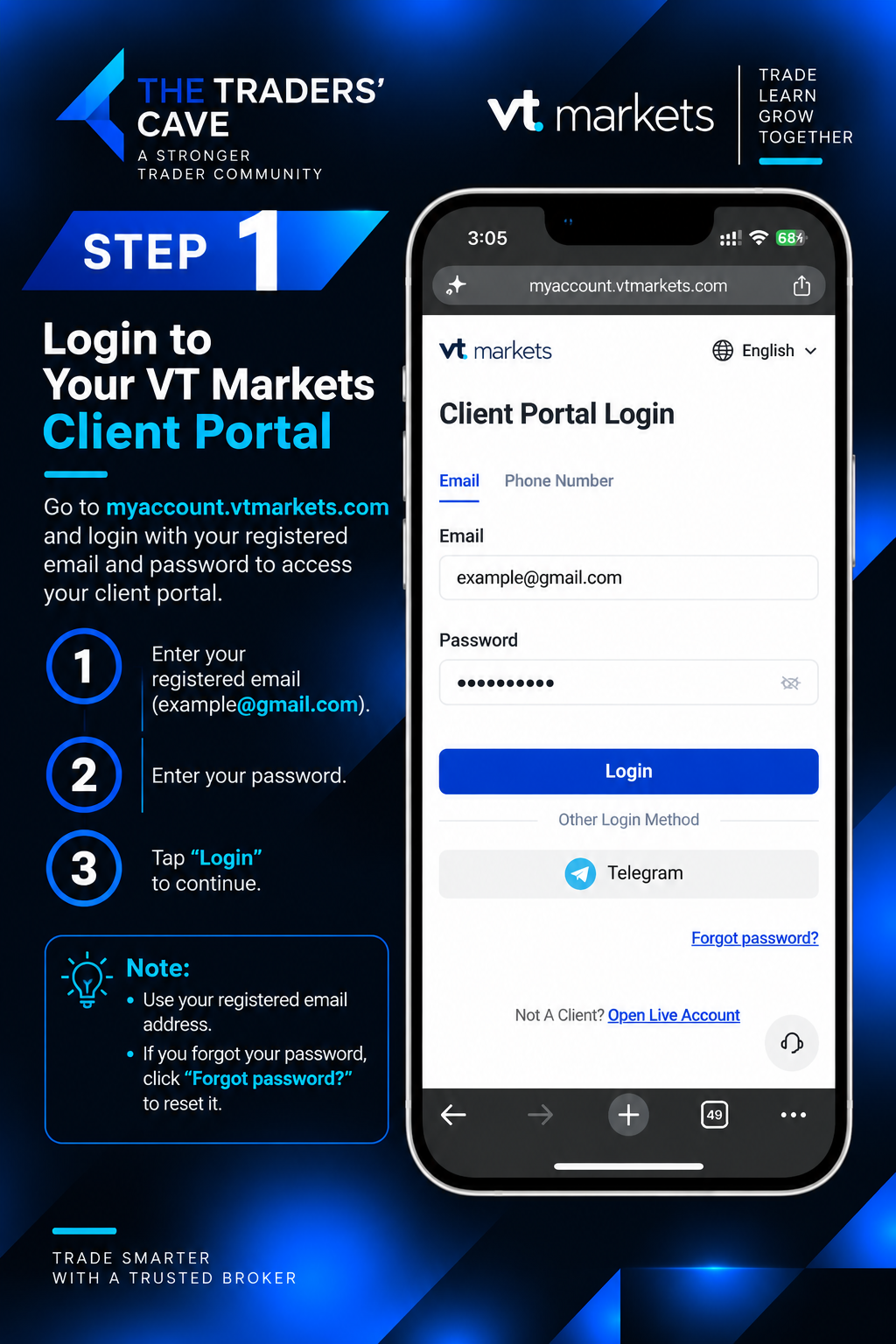
Log in to your VT Markets Client Portal using your registered email and password.
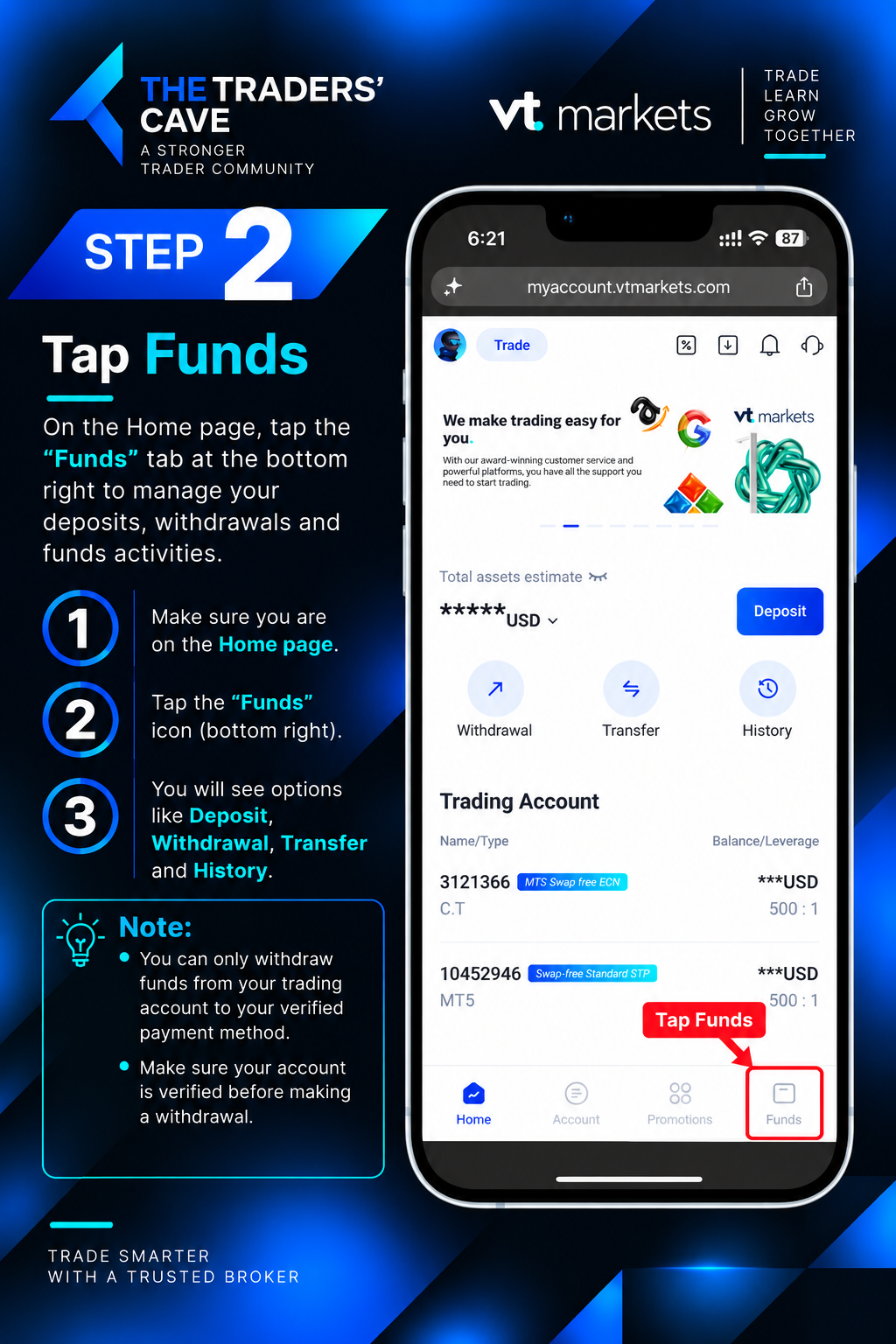
On the Home page, tap “Funds” from the bottom menu.
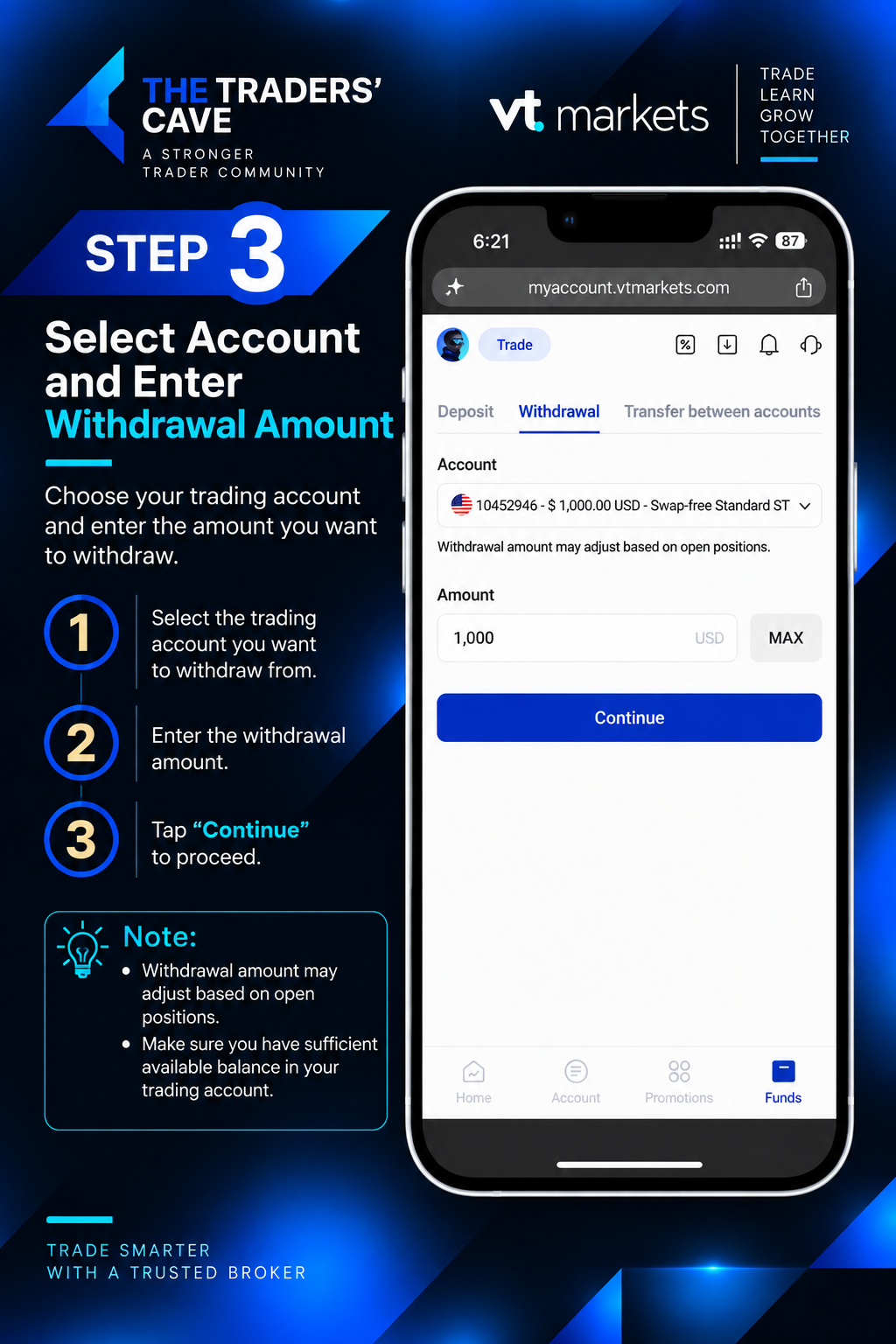
Select the trading account you want to withdraw from, enter the withdrawal amount, and tap “Continue”.
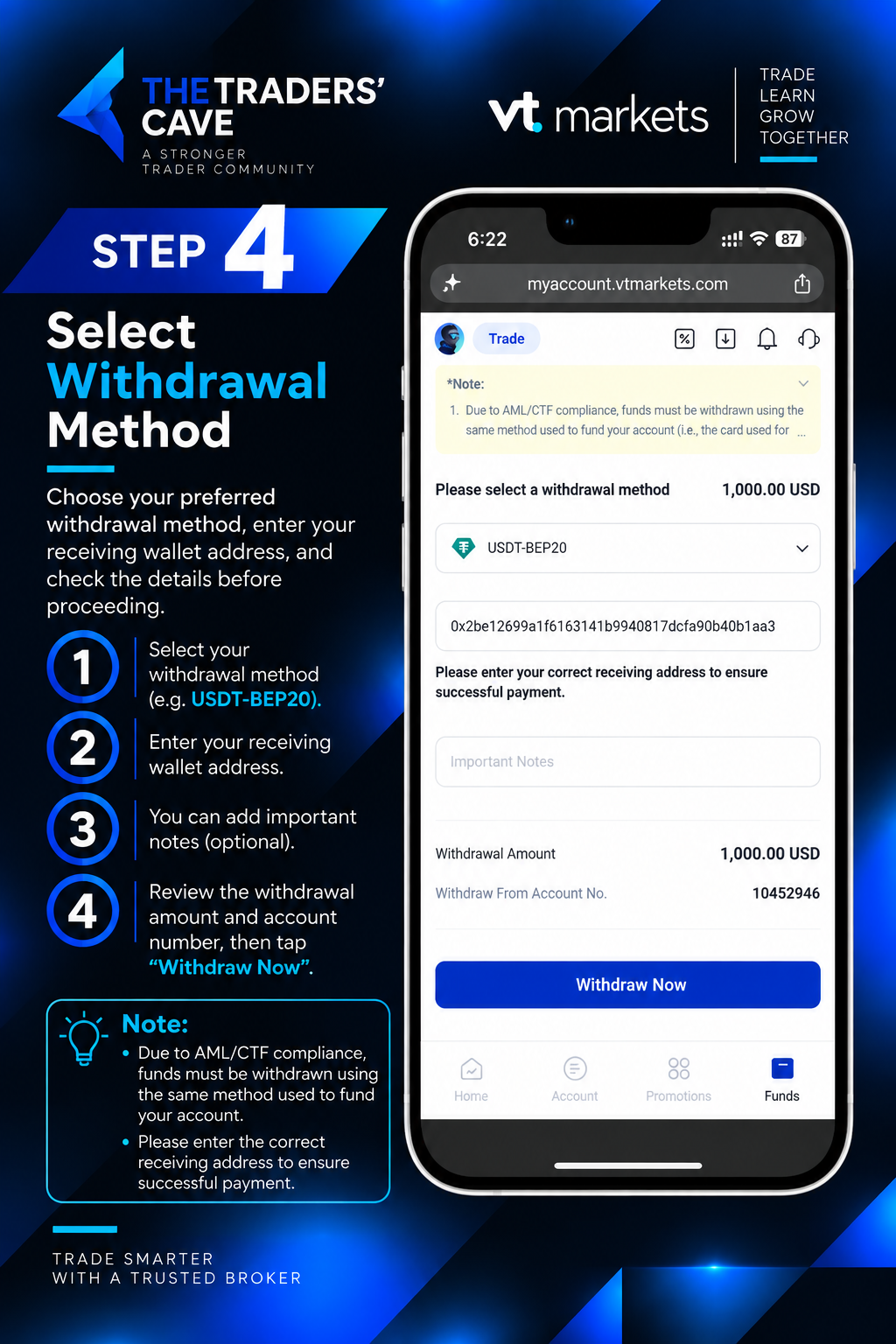
Select “USDT-BEP20” as the withdrawal method, enter your receiving wallet address, review the details, and tap “Withdraw Now”.
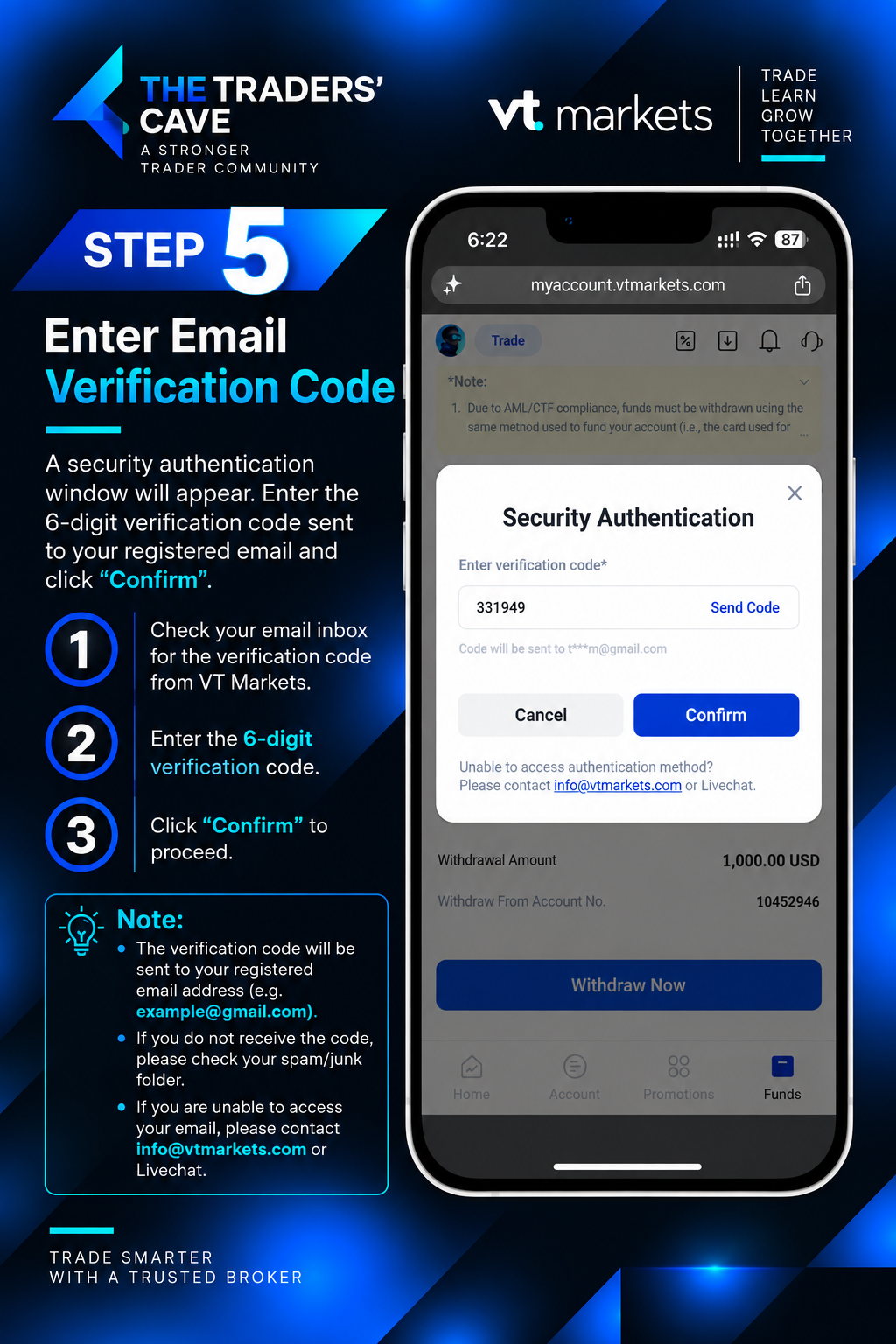
Enter the 6-digit verification code sent to your registered email and tap “Confirm”.
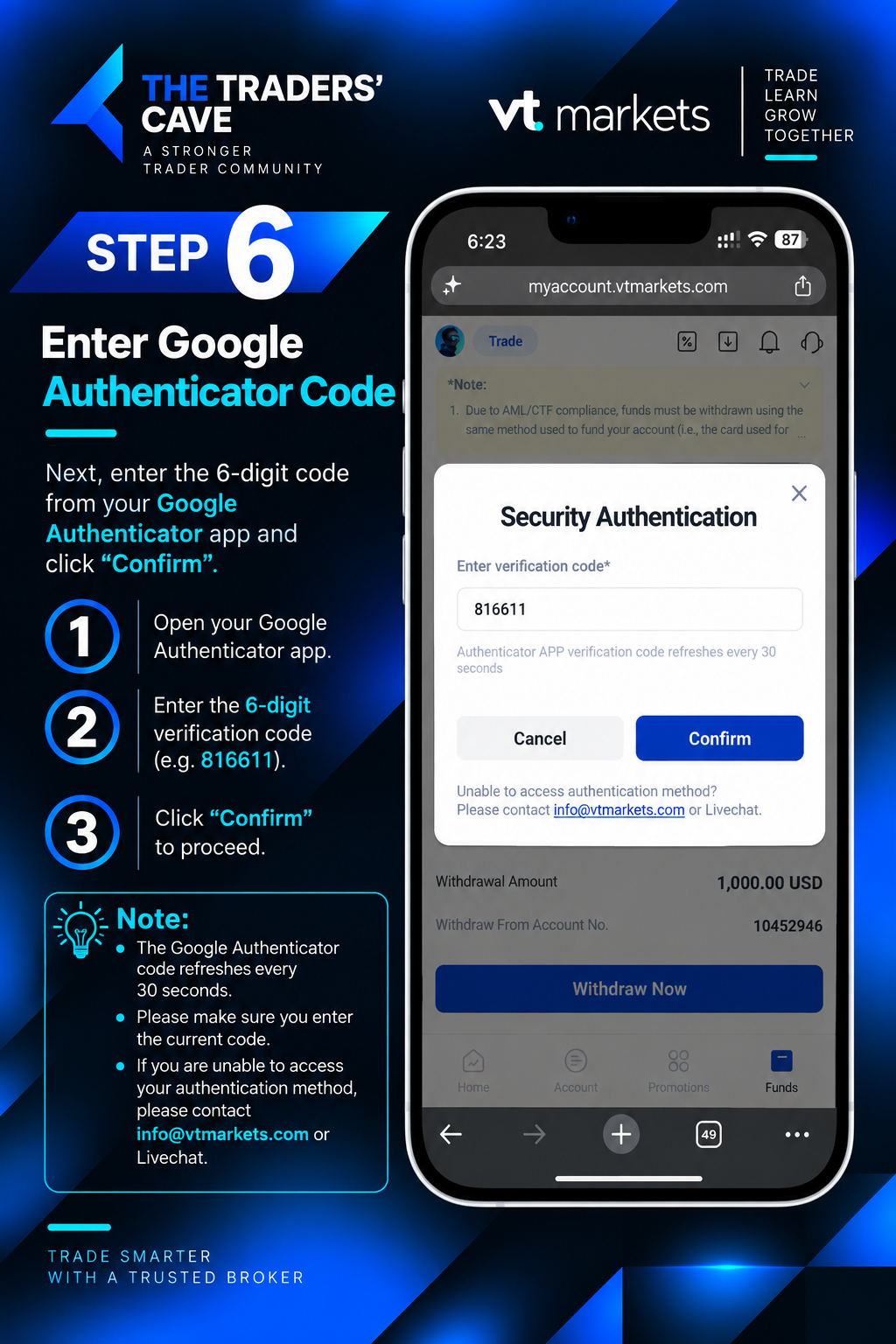
Open Google Authenticator, enter the current 6-digit authentication code, and tap “Confirm”.
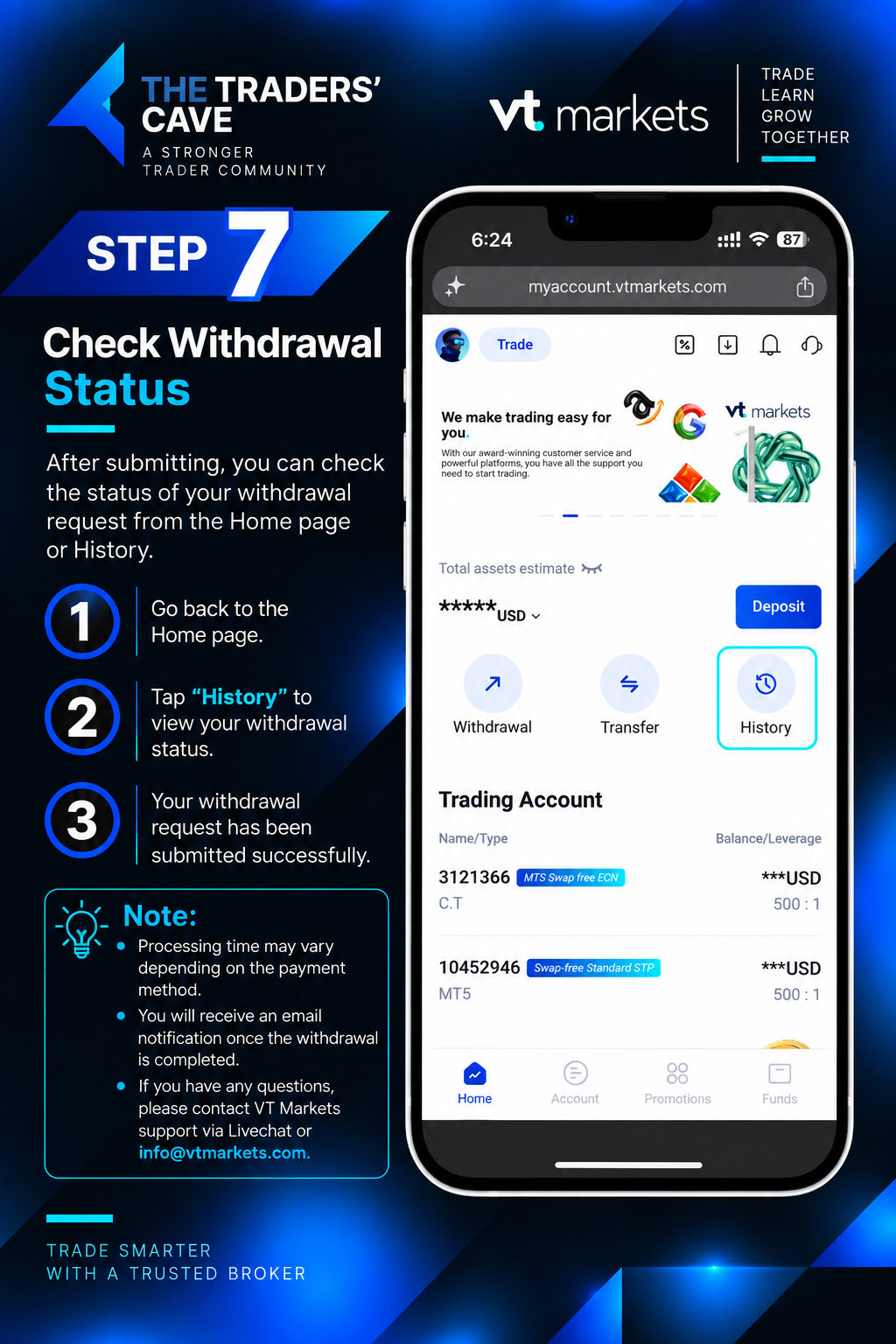
After submitting the withdrawal request, return to the Home page and tap “History” to check your withdrawal status.
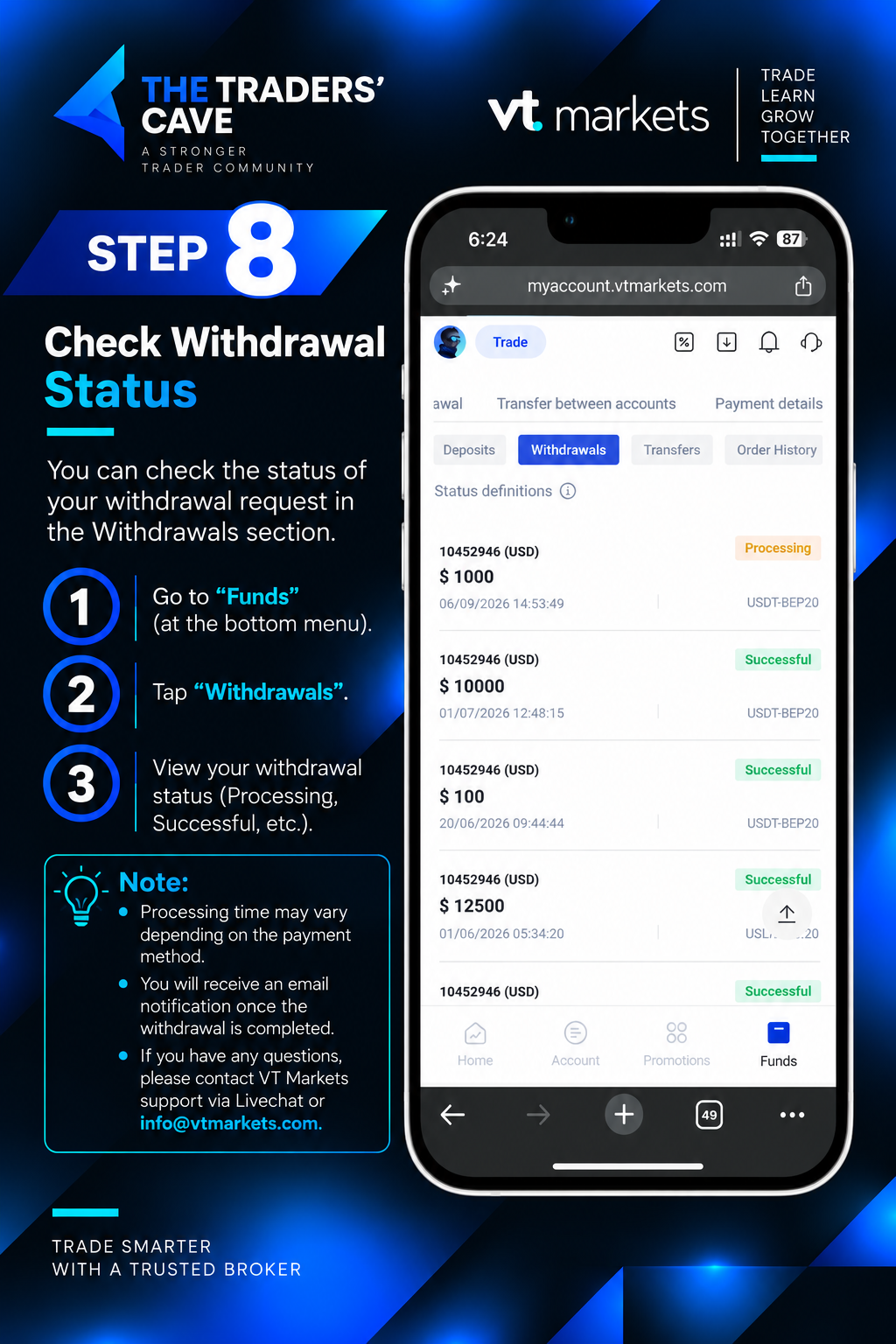
Go to “Funds”, select “Withdrawals”, and check the status of your withdrawal request, such as Processing or Successful.
How to Login to Your VT Markets Account on MetaTrader 5?
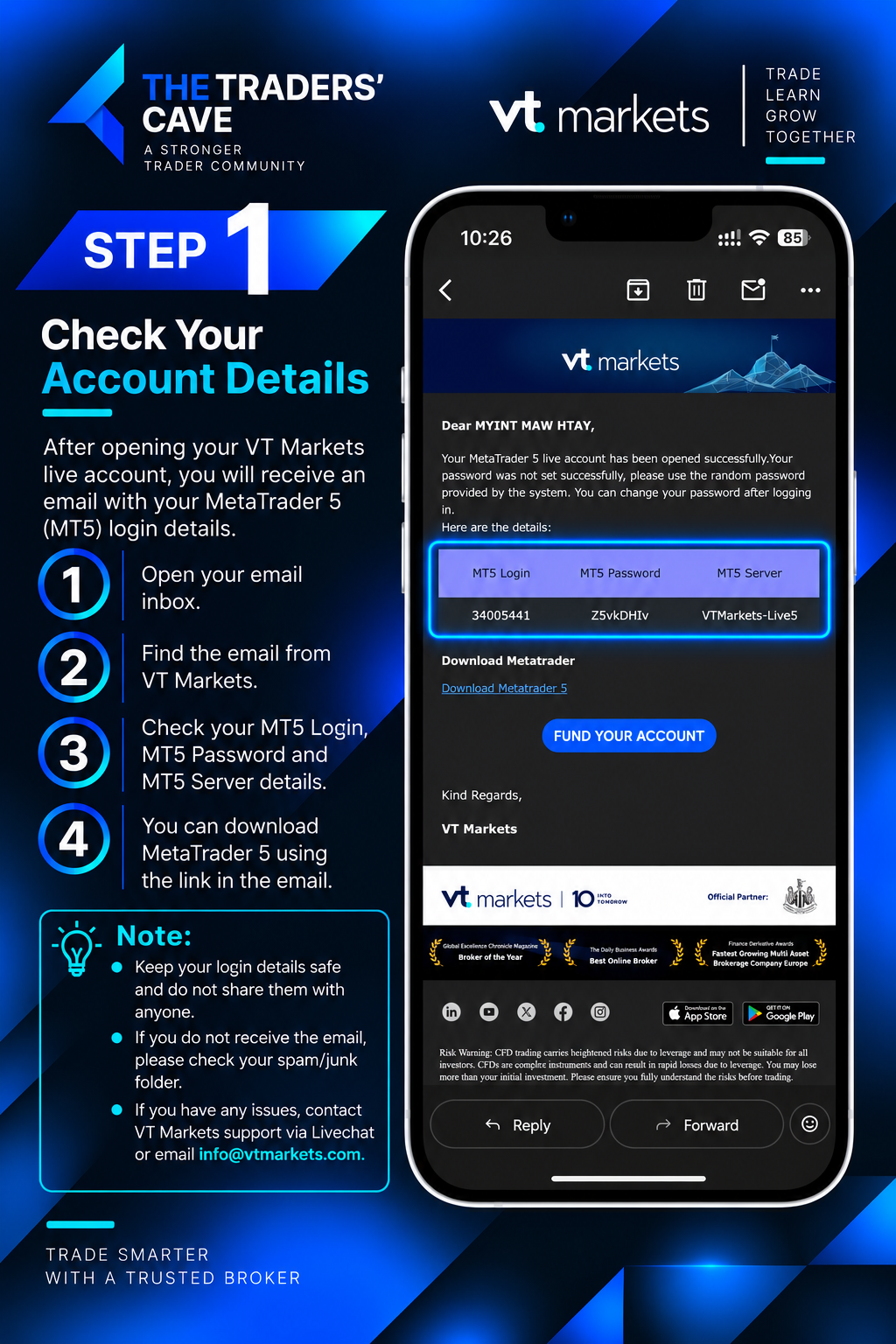
Check the email from VT Markets and find your MT5 Login, MT5 Password, and MT5 Server details.
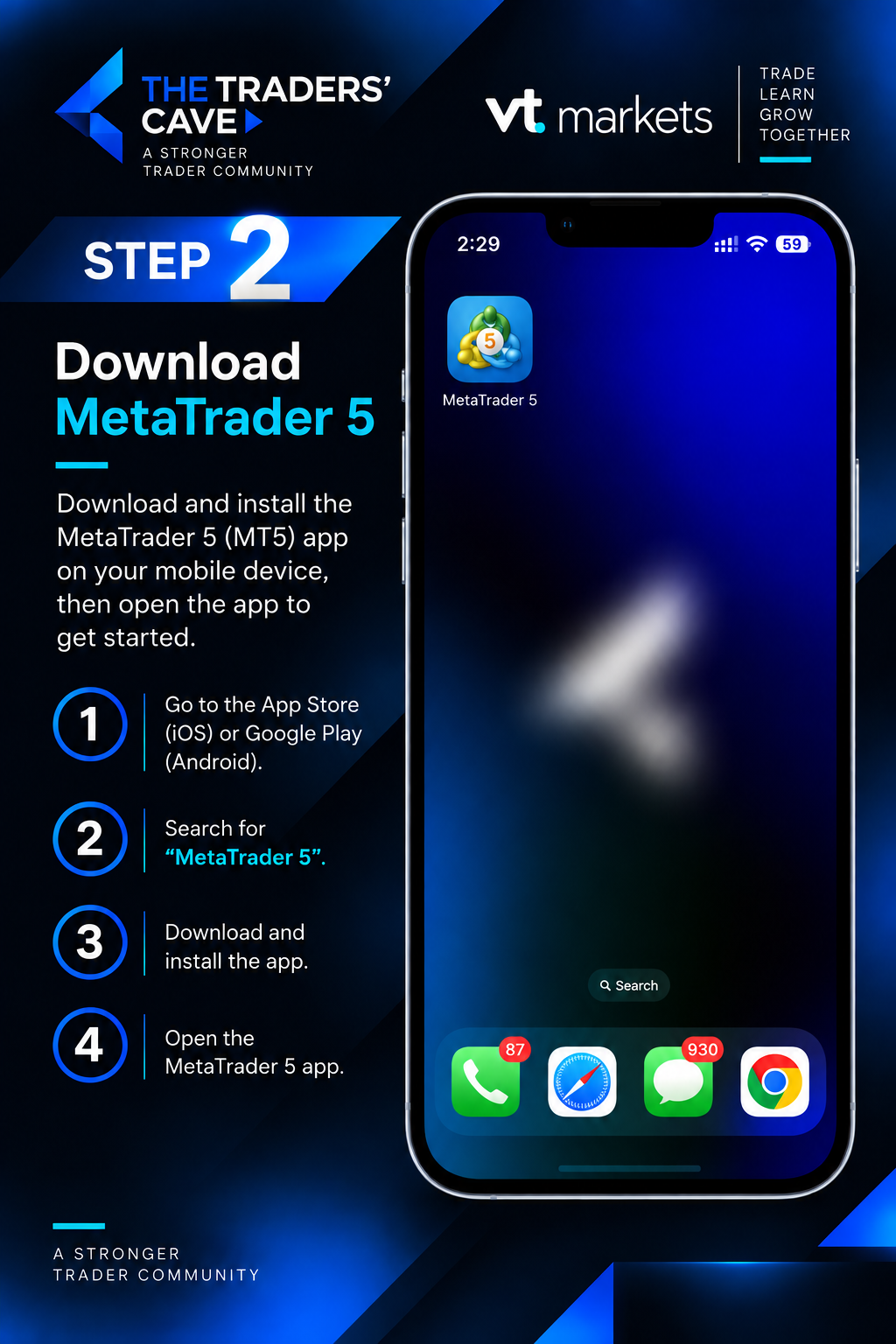
Download and install the MetaTrader 5 (MT5) app on your device, then open the app.
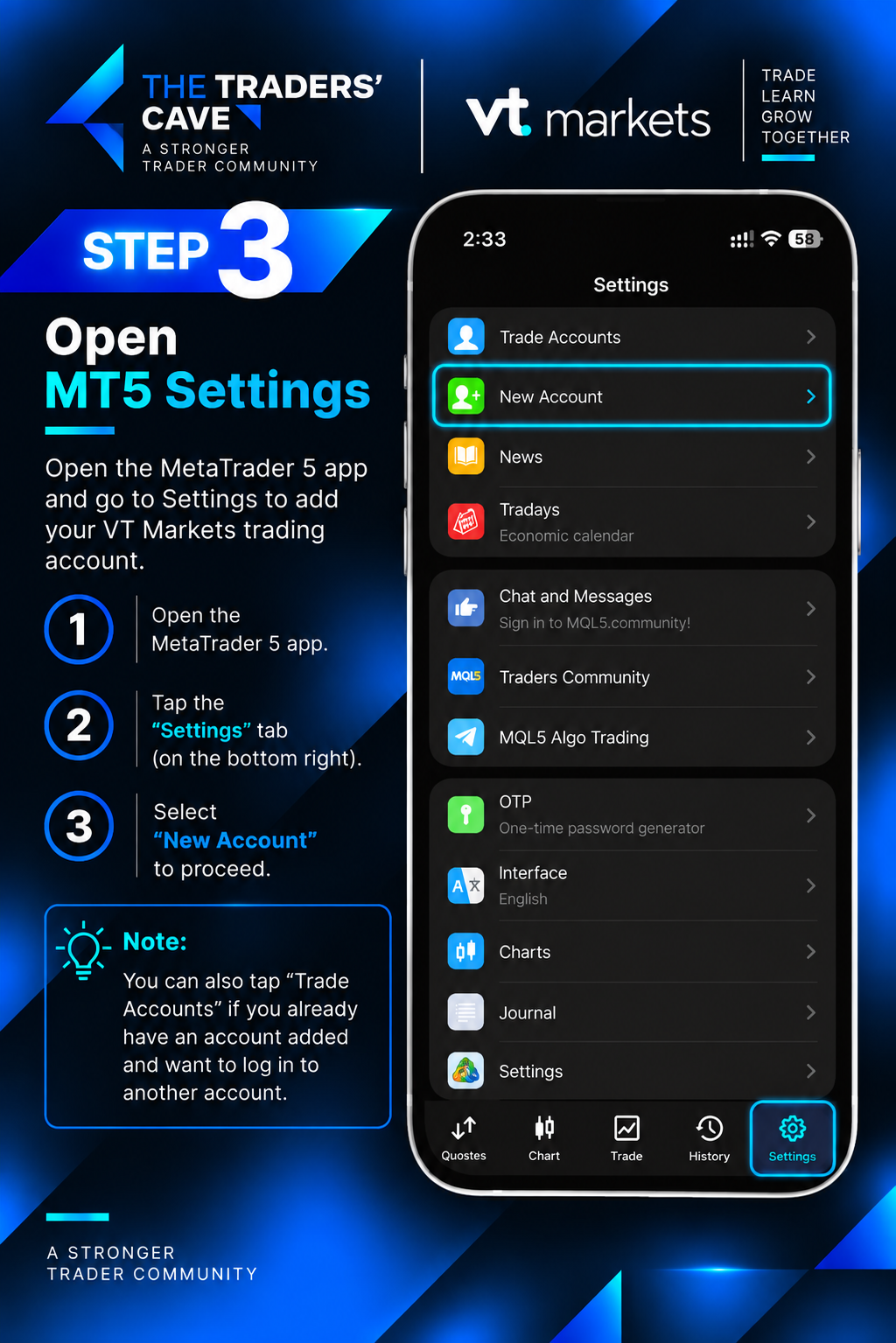
Open MetaTrader 5, go to “Settings”, and select “New Account”.
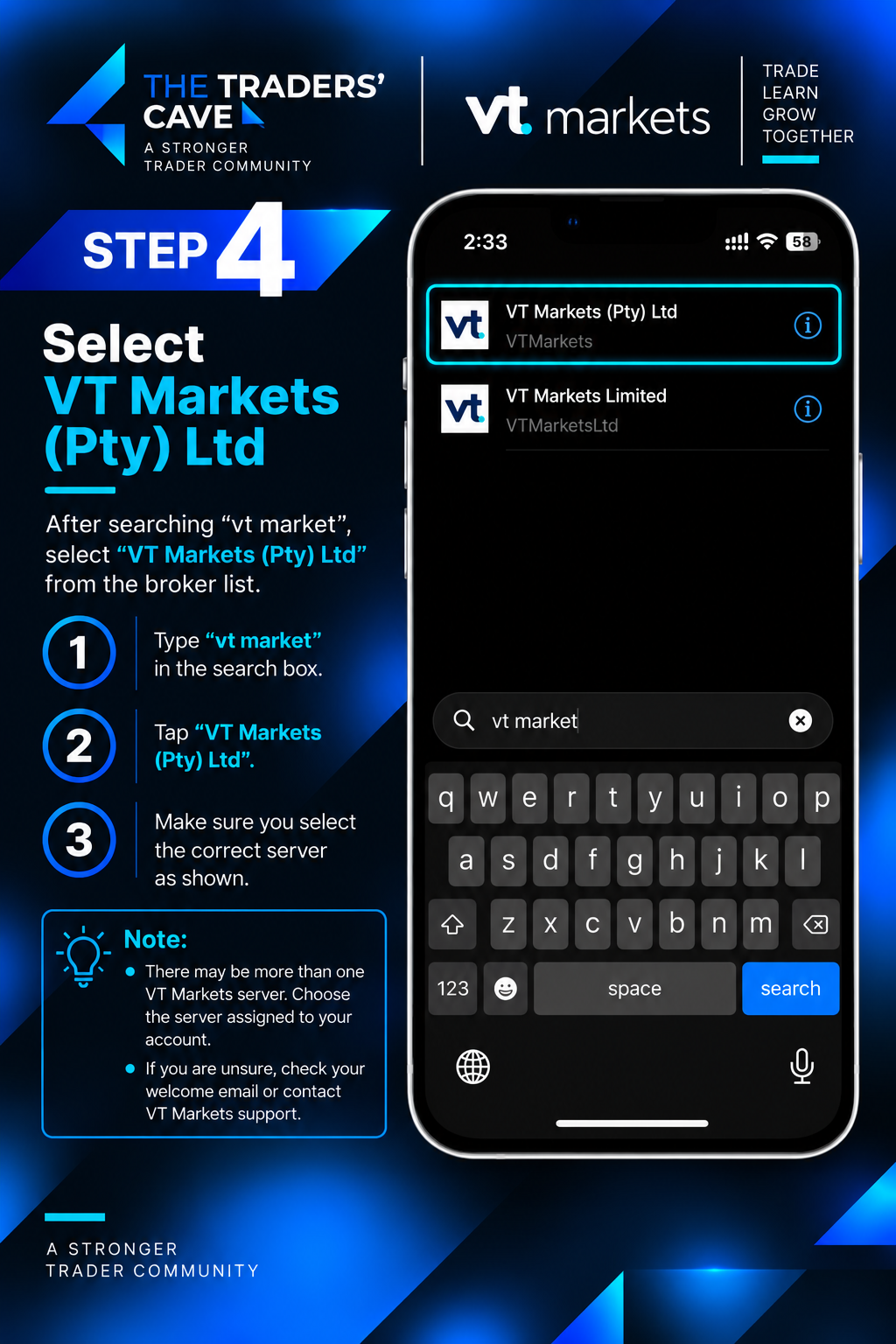
Search for “VT Markets” and select “VT Markets (Pty) Ltd”. Make sure you choose the broker associated with your trading account.
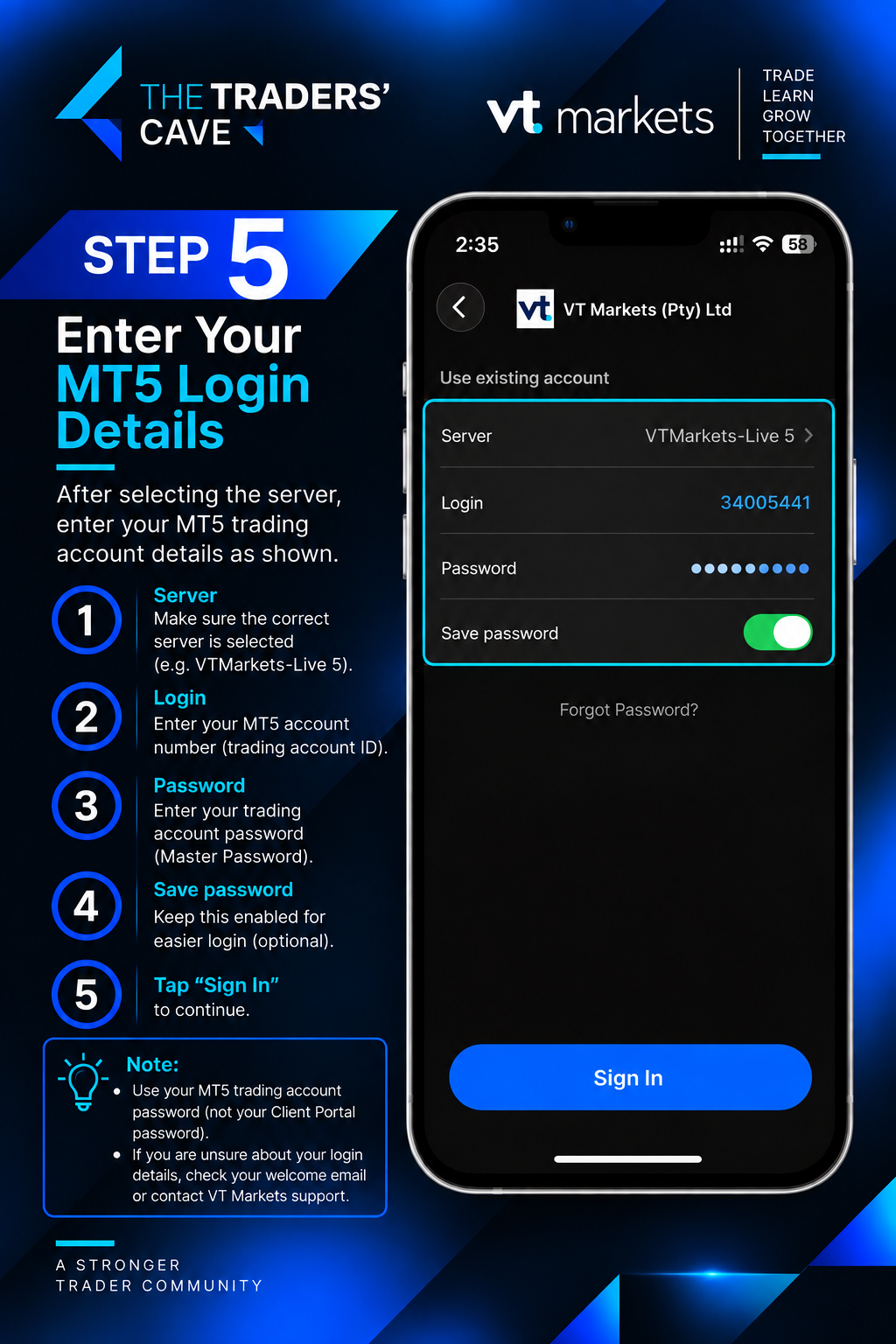
Select the MT5 server shown in your account details, enter your MT5 Login and Password, then tap “Sign In”.
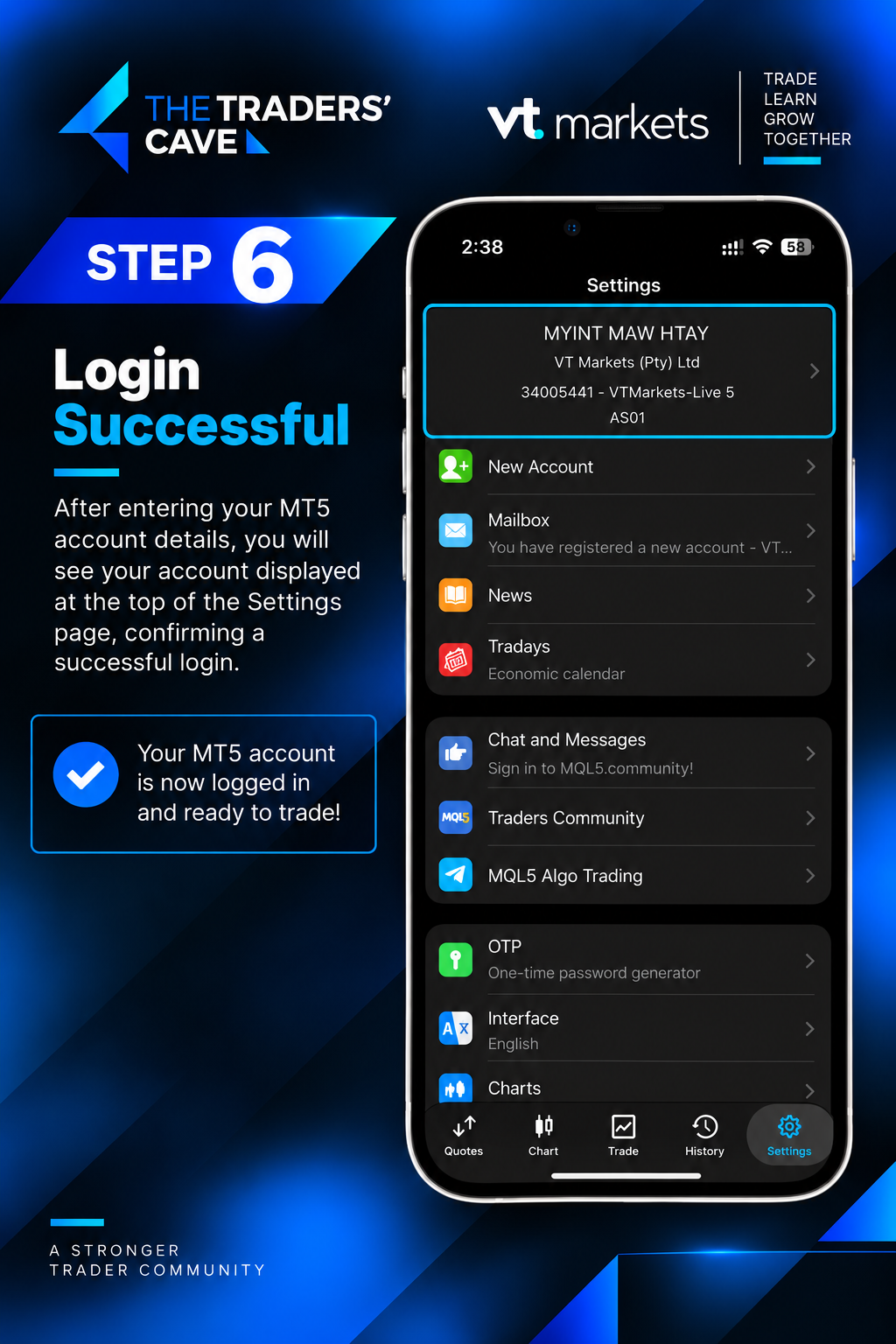
After signing in successfully, your VT Markets MT5 trading account will appear in MetaTrader 5 and will be ready to use.